You have a presentation due tomorrow. You open your laptop, stare at the blank screen, and the first question that hits you is not what to say. It is which app to even open.
PowerPoint or Keynote? Both are trusted by millions. Both can produce slides that look professional. But they are built for very different kinds of people, and picking the wrong one can cost you time, compatibility headaches, or worse, a presentation that falls apart when you send it to someone else. Here is everything you need to make the right call.
What Is PowerPoint?
Microsoft PowerPoint is a powerful presentation software included in the Microsoft Office suite, designed to help users create slide-based presentations with ease. It supports multimedia elements such as text, images, charts, and videos, along with built-in templates, collaboration features, and flexible presentation modes. Whether you’re pitching in business, teaching a class, or delivering a report, PowerPoint equips you with the tools to engage and inform effectively.
Pros and Cons of PowerPoint
Like any presentation tool, PowerPoint has its strengths and weaknesses. Understanding these can help you decide when it’s the best option and where it may fall short.
Pros of PowerPoint
- Visual appeal with templates and design options: Comes with pre-designed templates and themes that make presentations look professional.
- Easy to use and widely accessible: Its familiar interface makes it user-friendly, and it’s available across devices and platforms.
- Helps organize information effectively: Slide-based structure allows logical flow of ideas, making it easier to present complex information clearly.
- Supports animations, transitions, and multimedia: Enhances engagement with visuals, videos, charts, and dynamic effects.
- Time-saving with built-in templates: Ready-made slide layouts reduce effort in designing from scratch.
- Compatible with various media and Office tools: Works seamlessly with Word, Excel, and other Microsoft applications.
- Built-in AI assistance with Copilot and Designer: PowerPoint now includes Microsoft Copilot, which can generate entire presentations from a text prompt, write speaker notes, and summarize content. The Designer tool automatically suggests professional slide layouts as you add content, saving significant time on formatting.
Cons of PowerPoint
- Requires paid license or subscription: Full access is only available with Microsoft 365 or a standalone purchase.
- Steeper learning curve for beginners: Advanced features like animations and design customization may take time to master.
- Limited real-time collaboration features: Compared to tools like Google Slides, collaboration isn’t as smooth or instantaneous.
Create presentations faster with the AI PowerPoint Generator and turn your ideas into professional slides in minutes.
What Is Keynote?
Apple Keynote is Apple’s powerful presentation software, part of the iWork suite, designed for creating polished and visually striking slide decks on Mac, iPad, iPhone, and via iCloud. It comes with elegant themes, cinematic transitions, and seamless Apple integration, and it’s all free for macOS and iOS users
Pros and Cons of Keynote
Apple’s Keynote is a powerful presentation tool known for its sleek visuals and seamless performance within the Apple ecosystem. Here’s what makes it stand out-and where it may fall short:
Pros of Keynote
- Beautiful, professional templates: Keynote offers elegant, polished themes and layouts right out of the box.
- Smooth animations & transitions: Keynote stands out with high-quality motion effects and cinematic slide transitions.
- Optimized for Apple devices: Designed specifically for macOS and iOS, it delivers seamless performance across devices.
- Works offline & free for Apple users: No internet needed, and free with your Apple device.
- Advanced customization controls: Offers granular control over design elements, giving creators a lot of flexibility.
Cons of Keynote
- Exclusive to the Apple ecosystem: Keynote only runs on Apple devices, limiting access for Windows or Linux users.
- Collaboration features are limited: While functional, its real-time teamwork features fall short compared to other platforms like Google Slides.
- Steeper learning curve for some features: Keynote offers advanced tools and effects, which may take time to master.
- Potential compatibility issues: Sharing or exporting files with non-Apple users can lead to formatting and file conversion challenges
Keynote Vs PowerPoint
Which is better, Keynote or PowerPoint? While PowerPoint is widely recognised for its cross-platform compatibility and collaboration features, Keynote stands out with its sleek design and seamless Apple ecosystem integration. Here’s a direct comparison to help you decide:
| Feature | Apple Keynote | Microsoft PowerPoint |
| Collaboration | Limited real-time collaboration via iCloud | Excellent real-time collaboration via Microsoft 365 |
| Design Flexibility | Advanced templates with creative control | Highly customizable with wide template options |
| Animation & Transitions | Smooth, cinematic transitions (Magic Move, etc.) | Powerful animations with Morph, Zoom, and more |
| Integration | Best integrated with the Apple ecosystem | Deep integration with Microsoft Office & Teams |
| Ease of Use | Intuitive but tailored for Mac users | Familiar ribbon interface; slightly more complex |
| Offline Access | Fully functional offline on Apple devices | Fully functional offline on both Windows and Mac |
| Cost | Free for Apple users | Paid via Microsoft 365 or standalone license |
| Learning Resources | Official Apple guides and some community support | Paid via Microsoft 365 or standalone license |
| Security | Apple’s strong privacy and encryption features | Enterprise-grade Microsoft security and compliance |
| Cross-Platform Compatibility | Limited to macOS, iOS, and web via iCloud | Fully cross-platform: Windows, macOS, web, mobile |
Keynote vs PowerPoint: Which One to Choose?
Ultimately, the choice between Keynote and PowerPoint depends on your device setup and presentation needs.
- If you’re deeply embedded in the Apple ecosystem, value sleek animations, elegant design, and a clutter-free interface, Keynote is a fantastic, cost-effective choice. Its intuitive design makes it easy to craft polished presentations, perfect for Mac users.
- On the other hand, if you need powerful customization, advanced animation tools, master slide features, and seamless real-time collaboration across platforms, PowerPoint is the standout option, especially in professional and corporate environments.
PowerPoint leads in versatility and enterprise features, while Keynote excels in design and simplicity. The best pick is the one that matches your workflow and ecosystem
Also Checkout : Keynote Vs Google Slides
Keynote vs PowerPoint: Which is best for Whom?
The best presentation tool is not always the most feature-rich one. It is the one that fits your workflow, your audience, and your device. Here is a breakdown of who gets the most value from each tool.
1. The Corporate Professional
PowerPoint’s .pptx format is the universal standard in corporate settings. You can co-edit in real time through Microsoft 365, leave comments, and present directly from Microsoft Teams without any conversion issues. Keynote files cause compatibility problems the moment they reach a Windows colleague.
Best pick: PowerPoint
2. The Student
If you already own a Mac, Keynote is free and produces polished results without any design skills. If your school provides Microsoft 365 (many do at no cost), PowerPoint is the safer choice since your professors and classmates can open your files without issues.
Best pick: Keynote for Mac users, PowerPoint if your school provides Microsoft 365
3. The Designer or Creative Professional
Keynote was built with visual quality as a priority. The Magic Move transition, precise typography controls, and clean canvas make it the go-to tool for designers presenting brand concepts, portfolios, or creative pitches to clients.
Best pick: Keynote
4. The Educator or Trainer
PowerPoint’s SmartArt, add-in support for quizzes, Presenter Coach, and deep integration with Microsoft Teams and Forms make it the stronger option for interactive, data-rich educational content.
Best pick: PowerPoint
5. The Freelancer or Solo Presenter
If you work alone, present to small audiences, and stay within the Apple ecosystem, Keynote is an excellent free option. Just export to PDF or PowerPoint before sharing with clients outside Apple’s ecosystem.
Best pick: Keynote for Apple-only workflows, PowerPoint if your clients use Windows
6. The Remote or Hybrid Team
Through Microsoft 365, multiple team members can edit the same deck simultaneously across Windows and Mac. Keynote’s iCloud collaboration breaks down the moment one team member is on a Windows device.
Best pick: PowerPoint
7. The Public Speaker or On-Stage Presenter
Keynote’s cinematic transitions, clean presenter view, and iPhone remote control support give it an edge for solo speakers focused on visual impact. It genuinely earns its name here.
Best pick: Keynote
Still Undecided? There Is a Smarter Way to Build Presentations
PowerPoint and Keynote are both capable tools, but they share one fundamental limitation: you still have to build every slide yourself. Choosing the right layout, writing the content, formatting the text, and making everything look consistent takes time, even for experienced users.
If you spend more time formatting slides than crafting your actual message, SlidesAI is worth considering.
What SlidesAI Does Differently?
SlidesAI is an AI-powered presentation tool that works directly inside PowerPoint and Google Slides, so you do not have to learn new software or change your existing workflow. You paste in your text or topic, and SlidesAI generates a complete, formatted presentation in seconds.
Here is what that means in practice:
- Works where you already create presentations: No new software to install. Use SlidesAI directly inside Google Slides and PowerPoint, create presentations with the ChatGPT integration, or generate slides from anywhere using the SlidesAI web app.
- Generates slides from text: Paste a document, a blog post, or even a rough outline, and SlidesAI turns it into a structured presentation automatically.
- Saves hours on formatting: Layouts, fonts, and design consistency are handled for you, so you can focus on the content itself.
- Free to get started: SlidesAI offers three free presentations per month with no credit card required.
Who Is SlidesAI Best For?
SlidesAI works particularly well for professionals, educators, and students who create presentations regularly and want to cut down the time spent on design and formatting without compromising on quality.
If you are a PowerPoint user, SlidesAI adds an AI layer on top of a tool you already know. If you are a Keynote user who occasionally needs to share files in PowerPoint format, SlidesAI gives you a faster way to produce those files without switching tools entirely.
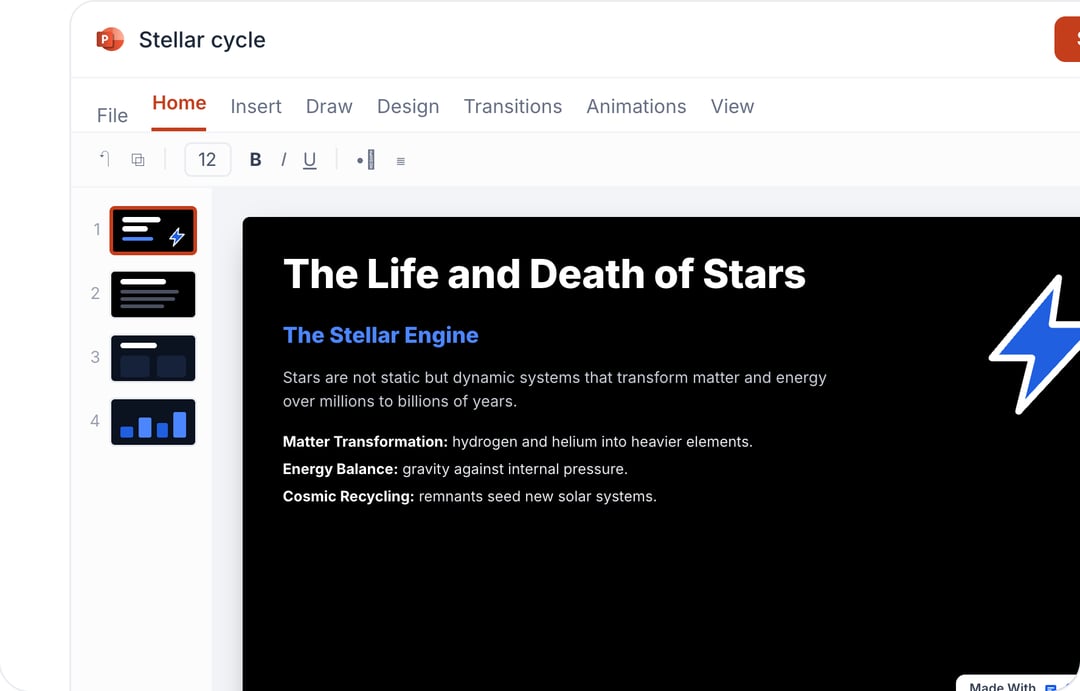
Take Your PowerPoint From Basic to Professional With SlidesAI
- Improve your slide content with AI
- Create polished layouts faster
- Work directly inside PowerPoint

Frequently Asked Questions
What is the main difference between Keynote and PowerPoint?
Keynote, designed by Apple, focuses on simplicity and stylish design, making it popular among Mac users. PowerPoint, part of Microsoft Office, is more versatile and widely used in business settings. It offers a larger feature set, better compatibility, and cross-platform accessibility.
Can PowerPoint open Keynote files and vice versa?
Yes, Keynote presentations can be exported as .PPTX files for use in PowerPoint. However, some animations, fonts, or layouts may shift during conversion. Similarly, importing PowerPoint files into Keynote can cause slight formatting adjustments depending on the design complexity.
Which is better, Keynote or PowerPoint, for animations and transitions?
Keynote excels in delivering sleek, cinematic animations such as Magic Move, ideal for visually appealing storytelling. PowerPoint, however, offers a broader range of customizable effects like Morph and Zoom, making it better suited for advanced, dynamic presentations where fine-tuned control is important.
Is Keynote free to use?
Yes, Keynote is completely free for Apple users. Anyone with a macOS or iOS device can download and use it without additional charges, making it a cost-effective option for creating professional-quality presentations.
Keynote vs PowerPoint, which is better for collaboration?
PowerPoint, through Microsoft 365, provides stronger collaboration tools with real-time editing, commenting, and cloud syncing across devices. Keynote also allows sharing via iCloud, but its collaborative features are more limited and less seamless compared to Microsoft’s platform.
Can I use Keynote on Windows?
Keynote does not have a native Windows app. Windows users can access a limited version of Keynote through iCloud.com in a browser, but it lacks many features available on the Mac and iPad versions.
Which file format is better, .key or .pptx?
For most users, .pptx is the safer format. It is the global standard accepted by PowerPoint, Google Slides, and most other presentation tools. The .key format only works natively within Apple’s ecosystem.
Is Keynote free?
Yes, Keynote is completely free for anyone with a Mac, iPhone, or iPad. There is no subscription or additional cost beyond owning an Apple device.
How much does PowerPoint cost?
PowerPoint is available through Microsoft 365 Personal at $69.99 per year or Microsoft 365 Family at $99.99 per year. Business plans start at $6 per user per month. A standalone PowerPoint license costs $159.99 as a one-time purchase. Many schools and universities also provide Microsoft 365 free to students.