
When comparing SlidesAI with Microsoft Copilot, the decision mainly depends on your existing tools, your budget, and how advanced your presentation needs are. If your institution uses Microsoft 365, Copilot may fit naturally into your workflow. However, if you rely on Google Slides and need a quick, affordable solution, SlidesAI may be a better option.
Understanding Microsoft Copilot for PowerPoint
What Is Microsoft Copilot?
Microsoft Copilot is an AI-powered assistant integrated into Microsoft 365 applications like PowerPoint, Word, and Teams. It helps users create presentations by pulling information from documents, emails, and organizational data.
This makes it especially useful for educators working in institutions that rely heavily on Microsoft tools.
How Microsoft Copilot Creates Presentations
Copilot works by analyzing your existing content and turning it into slides automatically.
- It can generate slides directly from Word documents or reports.
- It pulls contextual data from platforms like OneDrive, Teams, and SharePoint.
- It understands relationships between files, allowing it to build detailed presentations.
- It suggests layouts, summaries, and talking points based on your content.
Because of this, Microsoft Copilot is powerful for educators who work with large amounts of structured content.
Understanding SlidesAI for Presentation Creation
What Is SlidesAI?
SlidesAI is an AI presentation maker that helps you turn text, notes, documents, or prompts into structured, professional-looking presentations without requiring design expertise. It is available as a standalone web app, along with a Google Slides add-on, and a Microsoft PowerPoint add-in, giving users the flexibility to create presentations on their preferred platform.
You can also create presentations with ChatGPT and use a range of free presentation tools, including an AI PowerPoint Summarizer and a PowerPoint Compressor.
SlidesAI is a useful option for students, educators, professionals, and business teams who want to save time creating presentations while retaining the flexibility to edit and customize their slides.
How SlidesAI Generates Slides?
SlidesAI focuses on turning simple input into ready-to-use slides.
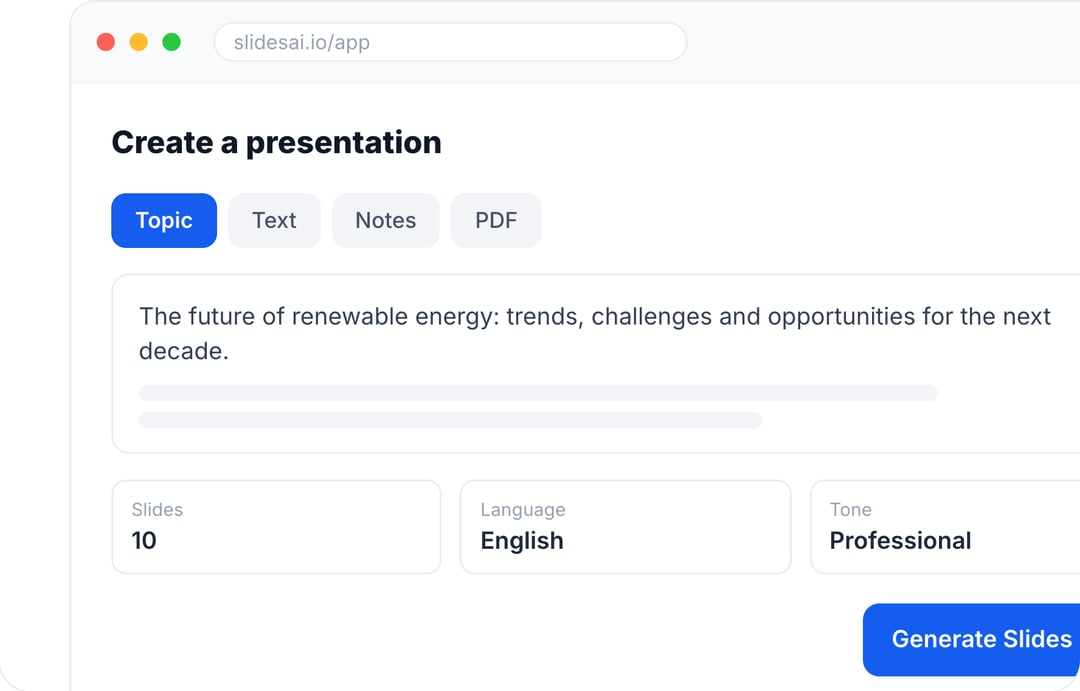
- You enter your topic or paste text content.
- The tool generates an outline and organizes it into slides.
- It creates headings, bullet points, and structured content automatically.
- You can select templates and customize the final design.
Unlike Copilot, SlidesAI does not rely on external data sources. Instead, it focuses on transforming input text into clean, usable presentations.
SlidesAI vs Microsoft Copilot: What’s the Difference?
-
Context Awareness vs Simple Input
- Microsoft Copilot: Uses organizational data from documents and cloud storage to generate presentations with deeper context.
- SlidesAI: Uses a chat-based agent that asks about your topic, audience, and tone, can research the web and read your attached files, and remembers your style for next time.
-
Design Approach & Output Style
- Copilot: Focuses on content generation and structured summaries, often requiring additional design adjustments.
- SlidesAI: Creates on-brand, editable presentations using your own templates, colors, fonts, and logo, and gives you full control to refine every slide after it is generated.
-
Platform Dependency
- Microsoft Copilot: Tightly integrated with the Microsoft ecosystem, working best within PowerPoint and related tools.
- SlidesAI: Platform-flexible, with a web app plus Google Slides, PowerPoint, and ChatGPT options, so it fits whichever tools you already use.
Quick Feature Comparison Table: SlidesAI vs Microsoft Copilot
| Feature | Copilot for PowerPoint | SlidesAI |
|---|---|---|
| Primary Platform | Microsoft PowerPoint | Webapp |
| Starting Price | $30/user/month | Free to $12/month |
| Context Awareness | High (OneDrive, Teams, SharePoint) | Low (text input only) |
| Export Formats | .pptx |
Google Slides |
| Multi-Variant Generation | No | No |
| Brand Controls | Basic | Minimal |
| Research Capabilities | Internal data-driven | None |
Cost Comparison: Which One Fits Your Budget?
Microsoft Copilot Pricing Overview
Microsoft Copilot is part of the Microsoft 365 ecosystem and costs $30 per user per month, billed annually. This cost is added on top of an existing Microsoft 365 subscription.
For schools or institutions, this can become expensive, especially for large teams.
SlidesAI Pricing Overview
SlidesAI offers a more affordable pricing structure.
- A free plan with limited usage
- A Pro plan starting around $12 per month
- A Premium plan at approximately $25 per month
This makes SlidesAI more accessible for individual educators and small teams.
Which Tool Should Educators Choose?
Choose Microsoft Copilot If:
- Your institution already uses Microsoft 365
- You rely on Word, Teams, or OneDrive for lesson planning
- You need detailed, data-heavy presentations
- Your organization can support higher software costs
Choose SlidesAI If:
- You want to turn your notes, documents, or PDFs into slides quickly.
- You want to shape the outline and slide content in a chat before the deck is created.
- You teach students in multiple languages and need support for 100+ languages.
- You want your own templates, colors, and fonts applied to every deck.
Create Presentations in Minutes With SlidesAI
- Start with a topic, text, notes, or PDF
- Generate slides in minutes
- Customize your presentation with ease
Final Thoughts
There is no one-size-fits-all answer. Both tools serve different needs.
- Microsoft Copilot is powerful and deeply integrated, making it ideal for institutions with complex workflows.
- On the other hand, SlidesAI focuses on speed, simplicity, and affordability, which makes it perfect for everyday classroom use.
For most educators, the best choice depends on how they work, what tools they already use, and how much time they want to save while creating presentations.