
vs  Which Is Better?
Both turn a prompt or document into a finished presentation in minutes. The difference is what happens next: SlidesAI gives you an editable deck in Google Slides, PowerPoint, or PDF, while Prezi uses a canvas-based format built for visual storytelling and audience engagement.
Last updated 02 November 2026 · Pricing and feature availability taken from each company's public pricing page and in-app screens on that date. Prezi states that its listed prices are for the United States and vary by country. (Pricing Page: https://prezi.com/gts/pricing/)
Two presentation tools, different approaches
SlidesAI creates editable presentations for PowerPoint and Google Slides, while Prezi focuses on visual storytelling and audience engagement.

What is SlidesAI?
SlidesAI is an AI presentation maker that helps you create and edit presentations from topics, text, and documents. It offers AI-powered editing tools, Brand Kit, and exports to Google Slides, PowerPoint, and PDF. Available as a web app, Google Slides add-on, PowerPoint add-in, and ChatGPT integration, it helps users create presentations quickly.

What is Prezi?
Prezi is a presentation platform focused on visual storytelling and audience engagement. It lets users create AI-powered presentations, customize designs, and add interactive features such as polls, quizzes, and Q&A. Available as a web app and desktop application, it's designed for educators, trainers, and professionals who want to create engaging presentations.
SlidesAI vs Prezi: which AI presentation tool is better in 2026?
A quick snapshot of how the two compare across the features that matter most when creating, editing, and sharing presentations.
| Feature / aspect | SlidesAI | Prezi | Which is better |
|---|---|---|---|
| Tone, Language & Length | Set your preferred tone, language, and presentation length before generation | Set language and provide instructions through prompts | SlidesAI wins |
| Control Over Output | Review and edit content before generating slides, then customize the final deck | Edit content, layouts, visuals, and presentation structure after generation | SlidesAI wins |
| Design & Layout Freedom | Full slide-level editing with flexible positioning of text, images, charts, and other elements | Customizable fonts, colors, layouts, themes, and canvas elements | SlidesAI wins |
| Editing & Workflow | AI tools such as Remix, Translate, and Rewrite, plus full slide editing | AI-powered editing and canvas customization | SlidesAI wins |
| Charts, Graphs & Diagrams | Charts, graphs, annotations, markers, and native Mermaid support | AI-generated charts, flowcharts, and visual lists | SlidesAI wins |
| Images | Stock image library plus AI-generated images | Stock visuals plus AI-generated images | Either works |
| Presentation Format | Traditional, editable slide presentations | Canvas-based presentations with zooming and visual movement | Either works |
| Audience Interaction | Designed for presentation creation and editing | Polls, quizzes, Q&A, word clouds, and live audience participation | Prezi wins |
| Usability | Web app, Google Slides add-on, PowerPoint add-in, and Custom GPT | Web app, Windows app, and macOS app | SlidesAI wins |
| Export | PowerPoint, Google Slides, PDF, and shareable links | Editable PowerPoint and PDF on paid plans; shareable link on all plans | SlidesAI wins |
| Viewer Analytics | No | Yes, available on Premium and Teams plans | Prezi wins |
| Free Plan | Free plan with 200 AI credits; export as PowerPoint, Google Slides, PDF | Free plan with 500 AI credits; only Sharable link on free plan | SlidesAI wins |
| Brand Kit | 1 Brand Kit available on the Free plan | Available on Teams plan | SlidesAI winsSlidesAI automatically aligns generated presentations with your existing company templates; Prezi's brand kit is applied manually on Teams plans |
| Monthly Billing | Yes, Pro starts at $12/month | No, individual plans are billed annually | SlidesAI wins |
| AI Generation Limits | Credit-based system with monthly AI Credits | Unlimited AI generation on Plus and above | Either works |
| Best For | Professionals who want fast, customizable presentations in Google Slides, PowerPoint, or the web | Users who want visual, dynamic, and interactive presentations | SlidesAI wins |
Should you switch from Prezi to SlidesAI?
If you already use Prezi, here's when moving to SlidesAI pays off, and when it's better to stay with Prezi.
Switching to SlidesAI is worth considering if…
- You prefer a familiar, slide-based editing experience
- You want native Google Slides or PowerPoint editing, with files owned and stored in your Drive or OneDrive
- You want more control over content and data points
- You want more interactive charts
- You want flexible monthly billing
- You need private presentations on a free plan. Prezi's Basic plan makes content public, while privacy controls start with Standard
You may want to stay with Prezi if…
- You want zooming and visual storytelling
- Audience interaction is important to you
- You need built-in polls, quizzes, or Q&A
- Viewer analytics are important to you
- You prefer Prezi's canvas-based presentation experience
How SlidesAI builds a deck
Six steps, each one editable, before any slide is rendered.
- 1Start with a messageEnter your topic, audience, and key takeaways. Attach notes or documents if needed.
- 2Set your preferencesChoose style, slide count, presentation type, audience, tone, and language.
- 3Answer questionsProvide additional context through AI-generated questions.
- 4Review your outlineReorder, rename, add, or remove slides.
- 5Edit slide contentEdit text, add speaker notes, or ask AI to rewrite content.
- 6Create & customizeGenerate your presentation, customize slides, and export.
Strengths
- More control over content before slides are generated
- Full slide-level editing and flexible element positioning
- Native workflows for Google Slides and PowerPoint
- AI tools for rewriting, translating, remixing, and refining slides
- Supports 100+ languages
- Generate presentations from topics, text, notes, documents, and prompts
- Stock images and AI-generated images
- Designs adapt to your content rather than forcing a fixed layout
Limitations
- No chat-based slide editing yet
- No built-in viewer analytics
- Focused on presentation creation and editing rather than audience engagement
How Prezi builds a deck
Six steps, from your idea or file to a finished presentation.
- 1Add contentEnter a prompt, topic, or upload a file to give Prezi the information for your presentation.
- 2Set brand tonesChoose your brand, colors, fonts, and visual preferences to guide the presentation style.
- 3Set contextProvide additional details about your audience, goals, and presentation requirements.
- 4Create the presentationPrezi AI generates the content, visuals, structure, and design.
- 5Refine with AIUse AI to rewrite content, adjust visuals, refine the structure, and make changes to your presentation.
- 6Present or exportMake final edits, then present directly in Prezi or export your presentation.
Strengths
- Just a few steps from prompt to deck
- Build dynamic, visual presentations with zooming and movement
- Chat-based AI refinement
- Built-in polls, quizzes, Q&A, and audience engagement
Limitations
- No monthly billing; paid plans are billed annually
- Canvas-based workflow may take some adjustment for traditional slide users
- No native Google Slides or PowerPoint editing workflow
- The interactive Prezi experience is different from a traditional slide deck
- Advanced features such as viewer analytics require higher-tier plans
- Export only in PDF and PPT on paid plans
- If you rely on Prezi’s zoom and movement effects, keep in mind that these do not carry over to PowerPoint.; the exported PPTX contains individual static slides instead.
SlidesAI vs Prezi in Action
Real briefs across business, marketing, education, training and travel, each one generated unedited. Pick a deck to see the output, with the Prezi run alongside where we have it.
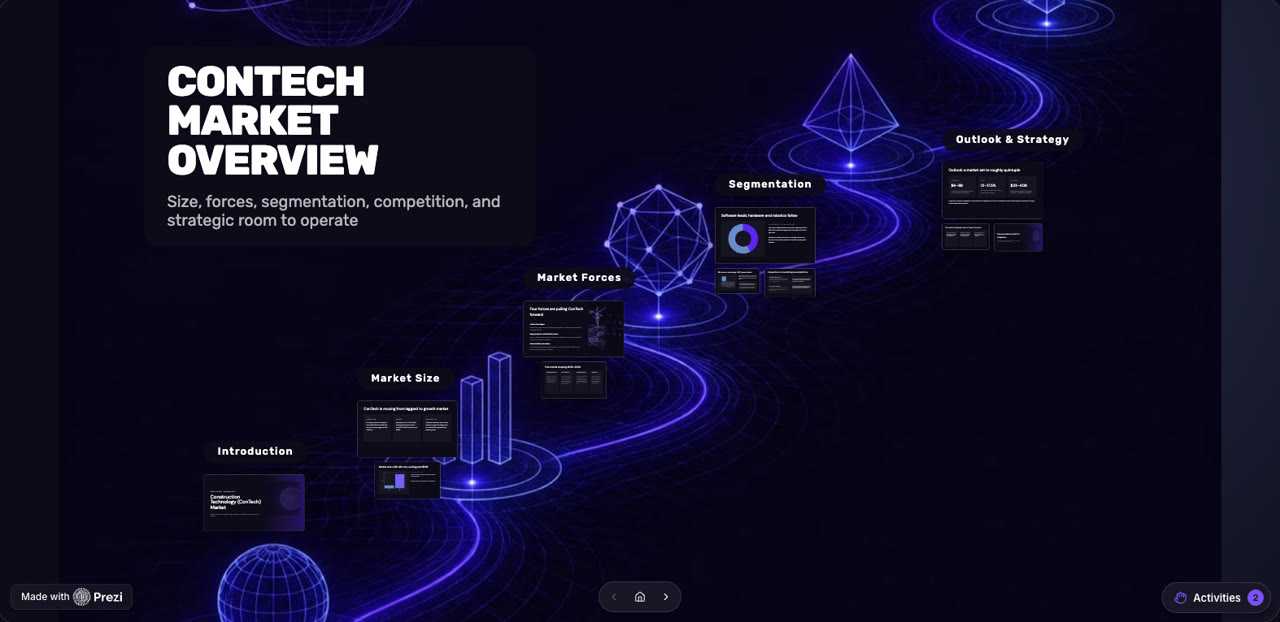
Both tools kept every figure and produced clean slides. They separate on editing and export.
| Aspect | SlidesAI | Prezi |
|---|---|---|
| Content Quality | Includes all data from the prompt without missing or hallucinating information. | Includes all data from the prompt without missing or hallucinating information. |
| Slide Design & Visuals | Clean, minimal designs with prompt-based brand colors, graphs, and charts. | Clean, visually engaging designs with dynamic layouts, zooming, and movement. Design options can be customized before moving to the full editor. |
| Editing & Customization | Gives you a free hand over the design: add or remove any element and place it exactly where your design requires, plus AI image editing, regeneration, and slide translation. | Allows you to customize colors and designs, regenerate the presentation, and make further changes in the full Prezi editor. |
| Features & Export Options | PowerPoint, Google Slides, PDF, and shareable links on all plans. | PowerPoint and PDF export on paid plans; shareable link on all plans. |
SlidesAI vs Prezi pricing
SlidesAI uses monthly AI credits. Prezi uses a credit-based model: credits on its Basic and Standard plans, with unlimited AI generation on Plus and higher plans.
- Up to 10 slides per presentation
- 2,500 characters/presentation
- 200 AI credits/month
- Lite & Balanced AI models
- Create from a topic or notes
- 1 Brand Kit
- Export as PowerPoint, Google Slides, PDF
- 500 Prezi AI credits
- Presentations, videos, and infographics
- Public content
- 50,000 characters/presentation
- 2,500 AI credits/month (30,000/year on yearly)
- Lite, Balanced & Advanced AI models
- Create from a script, documents, topic or notes
- Upload PDF & Word documents
- 3 Brand Kits
- Upload your own fonts
- For personal use
- 500 Prezi AI credits
- Privacy control
- Revocable share links
- 100,000 characters/presentation
- 7,000 AI credits/month (84,000/year on yearly)
- Every AI model, including Ultra
- Create from a script, documents, topic or notes
- Upload PDF & Word documents
- 6 Brand Kits
- Upload your own fonts
- For expert visual communicators
- Unlimited Prezi AI
- PowerPoint Converter
- Premium images, icons and backgrounds
- Presentation recording
- PDF export
- For students and educators
- EDU Pro — $8/month, billed annually
- For students and educators
- EDU Teams — $19/month/user, billed annually
- For administration and departments
- For business individuals
- Premium — $29/month, billed annually
- For business professionals
- Teams — $39/month/user, billed annually
- For teams and enterprises
Free plan, side by side
If you never upgrade, this is what you get.
| Feature | SlidesAI | Prezi |
|---|---|---|
| Volume | 200 credits / Month | 500 credits (One Time) |
| Slide ceiling | 10 slides | Generate up to 10 talking points |
| Export | PowerPoint (.pptx), PDF, Google Slides, and shareable link | Shareable link only |
| Privacy | Private | Public content on Basic; privacy control from Standard |
| Watermark | No watermark | Prezi branding on Basic and Standard; watermark-free from Plus |
What customers actually say
Better workflow, not just better AI
SlidesAI fits into the tools you already present in. Start free, no design skills required.
Works on the web, in Google Slides and PowerPoint, and in ChatGPT
Generate and edit where your decks already live, with no copy-paste round trip.
Accurate presentations, easy edits
Fix the outline before generation, then rewrite, translate or remix any slide.
100+ language support
Create in one language and translate the whole deck into another.
All Comparisons


Beautiful AI has a rating of 4.5 / 5 stars vs SlidesAI which has a rating of 4.3 / 5 stars. Compare the similarities and differences between software options with real user reviews focused on features, ease of use, customer service, and value for money.

Presentations AI has a rating of 4.5 / 5 stars vs SlidesAI which has a rating of 4.3 / 5 stars. Compare the similarities and differences between software options with real user reviews focused on features, ease of use, customer service, and value for money.

Compare Canva and SlidesAI side by side: how each builds a deck, what you can edit, pricing, free plans and real user reviews, so you can pick the right presentation tool.

Compare AiPPT and SlidesAI side by side: how each builds a deck, what you can edit, pricing, free plans and real user reviews, so you can pick the right presentation tool.

Compare MagicSlides and SlidesAI side by side: how each builds a deck, what you can edit, pricing, free plans and real user reviews, so you can pick the right presentation tool.

SlidesGo has a rating of 4 / 5 stars vs SlidesAI which has a rating of 4.3 / 5 stars. Compare the similarities and differences between software options with real user reviews focused on features, ease of use, customer service, and value for money.

Gamma app has a rating of 5 / 5 stars vs SlidesAI which has a rating of 4.3 / 5 stars. Compare the similarities and differences between software options with real user reviews focused on features, ease of use, customer service, and value for money.
Kroma AI has a rating of 4.5 / 5 stars vs SlidesAI which has a rating of 4.3 / 5 stars. Compare the similarities and differences between software options with real user reviews focused on features, ease of use, customer service, and value for money.

Deck Robot has a rating of 3.5 / 5 stars vs SlidesAI which has a rating of 4.3 / 5 stars. Compare the similarities and differences between software options with real user reviews focused on features, ease of use, customer service, and value for money.

Pitch has a rating of 4.5 / 5 stars vs SlidesAI which has a rating of 4.3 / 5 stars. Compare the similarities and differences between software options with real user reviews focused on features, ease of use, customer service, and value for money.

Send Steps has a rating of 4 / 5 stars vs SlidesAI which has a rating of 4.3 / 5 stars. Compare the similarities and differences between software options with real user reviews focused on features, ease of use, customer service, and value for money.
Frequently asked questions
Common questions about SlidesAI and Prezi.
Ready to create your next AI presentation?
Let SlidesAI help you create it in seconds. Start with your idea, notes, document, or text.