




14M+
Downloads
Highly rated by Professionals
Presentations for Every Stage of Building a Company
From your first pitch deck to your next board meeting, turn business ideas, notes, and documents into polished business presentations. Communicate your vision clearly without spending hours building slides from scratch.
- No design skills required
- Setup in seconds
- Get started for free

Used by professionals at top companies




How it works
Simplified Presentation Creation for Founders
Step 1
Turn Your Vision Into a Pitch-Ready Deck
Start with your business idea, presentation goal, and target audience. SlidesAI helps turn your input into a structured deck so you can communicate your business model, traction, strategy, or fundraising story clearly.
Example:
"10-slide investor pitch for my startup."
Step 2
Let Every Deck Reflect Your Brand
Your presentation should look as professional as the business behind it. Consistent branding helps you create a recognizable identity across investor pitches, customer meetings, and internal presentations. With SlidesAI, you can use your brand assets and existing slide designs to give your decks a consistent look.
What You Can Do:
 Add your brand colors and fonts using your uploaded font file. Custom font uploads are available on paid plans.
- Upload your company logo.
- Import your existing pitch deck using Import PPTX to match its colors, fonts, and slide styles.
- Keep your own slide layouts for new decks by making your template AI-ready.
Step 3
Refine Your Deck & Share It With Investors
Refine your content, adjust the tone, and regenerate sections as needed so your message reflects what you want investors, partners, customers, or your team to understand.
What You Can Do:
- Tailor the message for investors, customers, partners, board members, or your team.
- Update your slides as your traction, financials, goals, and strategy change.
- Share a presentation link when you want others to review or present the deck.
- Keep your presentation ready to update and reuse as your business evolves.
Testimonials
What our users say

Pyae Sone Oo
As someone who frequently prepares slides for meetings, lectures, and reports, this tool has saved me hours of work. What stands out most is how simple and intuitive it is. You just input your text and SlidesAI generates a clean, professional-looking presentation.

John Little
Just starting to play with the app. It was recommended by a friend and so far so good! Also, the tech support was fast and beneficial!

Agatha Omokhudu
I have never used a more coherent slides app like this one. It helped arrange my work (seminars) with little or no help. I hope to use it again in the nearest future. Already recommended to my colleagues. Thank you
Oghale Agbawhe
This app exceeded my expectations. It is very useful and convenient, saves time and eliminates the stress of manually creating PowerPoints. I highly recommend it!

hassanain ali
working fantastic and very helpful. Saving me so much time by automatically generate sub-titles on each pages and analyze my paragraph to points form! highly recommend! The support is super fast and helpful, I didn’t even expect to get such a fast responds at late night time

Vijayakrishna Rapaka
I recently started using SlidesAI.io and it has significantly improved my productivity. This extension is incredibly useful and efficient, allowing me to complete my tasks in much less time than before.

Muhammad Afnan
I love this app. I am a researcher and often I have to present my research work in international conferences and it is very hectic and difficult to arrange all the content of a research paper into slides. But slides.io has made it easy for me, now I can just put the text and it generates automatically. Love it..

Tim Moran
Easy to use and a fantastic way to speed up the presentation creation process. I used it in a pinch to create a complete presentation just minutes before a last-minute emergency meeting.
Why Should Founders Use SlidesAI?
- Convert notes, ideas, and supported documents into a complete pitch deck without starting from a blank slide.
- Organize your problem, solution, traction, market opportunity, and funding ask into an easy-to-follow business presentation.
- Apply your brand colors, fonts, and logo to create polished presentations that reflect your company's identity.
- Build pitch decks, investor updates, strategy presentations, and board or team updates in one place.
- Edit and refine your slides as your traction, financials, and strategy evolve.
- Tailor presentations for investors, partners, customers, and your team while maintaining consistent branding.

What Business Presentations Can Founders Create Using SlidesAI?
From securing investment to growing your customer base and aligning your teams, SlidesAI helps you organize your ideas into clear, professional decks for different business goals.
- 1
Raising Capital
- Pitch decks (seed → Series A/B/C)
- Demo day/accelerator decks
- Fundraising teasers and one-pagers
- 2
Managing Investors & the Board
- Monthly/quarterly investor updates
- Board meeting decks
- Annual shareholder updates
- 3
Growing the Business
- Sales decks and proposals
- Partnership/BD decks
- Customer QBRs and case studies
- Product launch decks
- 4
Running the Team
- All-hands and strategy decks
- Roadmap and OKR planning
- New-hire onboarding decks
Themes
Presentation Themes for Every Kind of Founder Presentation
Explore presentation themes that suit your business goals, and choose a style that works for your audience.
Explore themes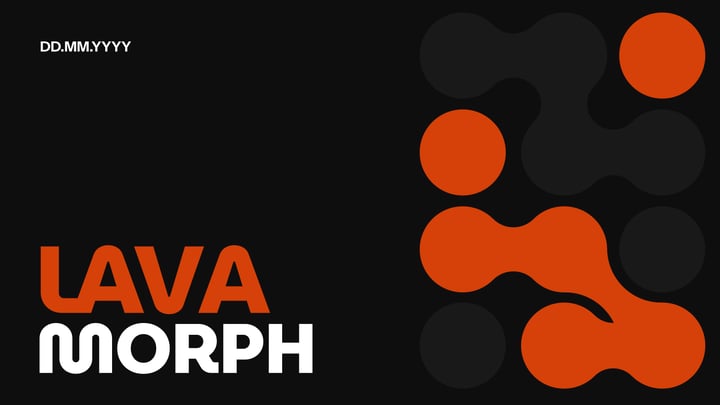






Pricing
Simple Pricing for Everyone
Find Your Ideal Plan
MonthlyMonthly BillingYearlyYearly Billing2 months free
Basic
Good enough to get started
$0
/month- 200 AI credits per month
- Lite & Balanced AI models
- 2,500 Character Input / Presentation
- Create from a topic or notes
- 1 Brand Kit: Import your branded PPTX template
- Up to 2 members and 2 guests
🎉 SAVE 16%
Pro
Perfect plan for students
$10.00
/user/monthBilled at $120 /user/year
$120.00
- 30,000 AI credits per year (~140 presentations)
- Up to 20 slides per deck
- Lite, Balanced & Advanced AI models
- 50,000 Character Input / Presentation
- Create from a script, documents, topic or notes
- Upload PDF & Word documents
- 3 Brand Kits: Import your branded PPTX template
- Upload your own fonts
- Up to 5 members and 5 guests
🎉 SAVE 16%
Premium
For Educators and Professionals
$20.83
/user/monthBilled at $250 /user/year
$250.00
- 84,000 AI credits per year (~400 presentations)
- 50+ slides per deck
- Every AI model, including Ultra
- 100,000 Character Input / Presentation
- Create from a script, documents, topic or notes
- Upload PDF & Word documents
- 6 Brand Kits: Import your branded PPTX template
- Upload your own fonts
- Up to 5 members and 5 guests
All prices shown are exclusive of applicable taxes. Any taxes due are calculated and added at checkout based on your billing location.
Individual and Team plans are sold by Dodo Payments, acting as the official Merchant Of Record (MoR)/Reseller of SlidesAI for those plans. It is not a subsidiary, a related entity, nor a distinct person for SlidesAI.
Frequently Asked Questions
We've compiled a list of the most common questions we get asked.
- Can SlidesAI create a Series A or seed deck, not just a generic template?
- Yes. You can use SlidesAI to create a draft for a seed or Series A pitch deck based on your startup's business idea, target market, business model, traction, and funding goals. Provide the relevant details and specify your target audience to guide the structure and messaging. Review the generated content to ensure your financial figures, growth projections, and fundraising details are accurate before sharing the deck with investors.
- Can I use SlidesAI for demo day or accelerator pitches?
- Yes. SlidesAI can help you create a business presentation for a demo day or accelerator pitch. Include your startup's problem, solution, market opportunity, traction, business model, and future plans in your prompt. You can then refine the slides to fit the event's requirements, time limit, and audience.
- How can SlidesAI help me report metrics clearly to my board?
- SlidesAI helps you organize business information into a structured presentation that is easier to review. You can use it to present key performance indicators, revenue trends, customer growth, financial updates, milestones, and upcoming priorities. Review the figures and supporting information carefully, and update the slides as needed before presenting them to your board.
- Is SlidesAI only useful during fundraising, or can I use it year-round?
- SlidesAI can create business presentations during fundraising and also throughout the year. You can use it to create investor updates, board meeting decks, sales presentations, partnership proposals, product launch decks, and team strategy presentations. As your business grows, you can edit existing presentations or create new ones to communicate changing goals, results, and priorities.
- How do I keep my branding consistent across different types of decks?
- Use SlidesAI's branding and template features to maintain a consistent visual identity across your business presentations. Add your brand colors, fonts, and logo, or import an existing PowerPoint deck to work with its slide styles.
- Can I add AI-generated images and visuals to my presentations?
- SlidesAI supports adding visuals to presentations, and the available options depend on the workflow and features enabled in your account. You can use relevant images, product screenshots, and other visuals to explain ideas and make your slides more engaging. Check current product features before relying on a specific AI image-generation capability, and review all visuals for accuracy, relevance, and brand consistency.
Ready to create your next AI presentation?
Let SlidesAI help you create it in seconds. Start with your idea, notes, document, or text.