Slidesai

AI Presentation Trends in 2027: 9 Changes That Will Shape How We Create Slides

AI Presentation Trends in 2027: 9 Changes That Will Shape How We Create Slides

AI presentation tools have come a long way from turning a few lines of text into slides. They are now beginning to handle research, organise information, suggest visuals, and help teams work on presentations together. As these tools become more capable, the way we create and share presentations is likely to change quite a bit. […]

Introducing SlidesAI Agent: Build Your Presentation Faster in a Chat

Introducing SlidesAI Agent: Build Your Presentation Faster in a Chat

If you’ve ever created a presentation using AI, you probably know that getting the first draft is only half the work. You still need to organise the information, fix the wording, move slides around, and make sure the final presentation covers what you actually wanted to say. SlidesAI Agent brings these steps into a single […]

Introducing Brand Kits in SlidesAI

Introducing Brand Kits in SlidesAI

Save your colours, fonts, and logos in one place. SlidesAI introduces brand-kits so you can generate on-brand presentations from the start.

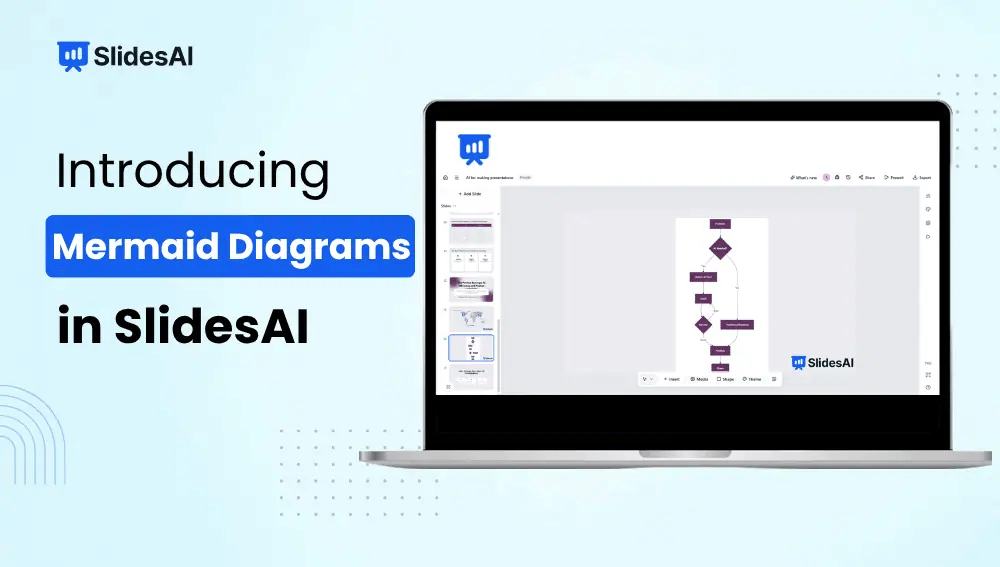
Introducing Mermaid Diagrams in SlidesAI

Introducing Mermaid Diagrams in SlidesAI

Build clearer presentations with Mermaid diagrams in SlidesAI. Explore 17 diagram types, use AI to make edits, and export diagrams as PNG or SVG.

Introducing Funnel Charts With Conversion Details in SlidesAI

Introducing Funnel Charts With Conversion Details in SlidesAI

Explore SlidesAI’s new funnel charts to track conversion rates, identify drop-offs, and compare results across funnel stages with clear visual insights.

New in SlidesAI: Create World Map Charts for Your Presentations

New in SlidesAI: Create World Map Charts for Your Presentations

SlidesAI introduces world map charts for presentations. Learn how to visualize country data, highlight regional patterns, and make your insights easier to understand.

SlidesAI Gets a New Charting Engine, World Maps, Mermaid Diagrams, and More

SlidesAI Gets a New Charting Engine, World Maps, Mermaid Diagrams, and More

More ways to work with data, diagrams, links, and technical content — without leaving SlidesAI. Presentations often start with a lot of information: sales numbers, research findings, process diagrams, geographic data, or even lines of code that need to fit on a slide. Turning that information into something people can quickly understand can take time. […]


Introducing the Theme Panel in SlidesAI: Transform Your Presentation in One Click

Introducing the Theme Panel in SlidesAI: Transform Your Presentation in One Click

You’ve finished your presentation. The content is in place, the slides are structured, and everything works, but the design still doesn’t feel quite right. Maybe the colors don’t match the tone you’re going for. Maybe the fonts aren’t quite right. Or perhaps you simply want to see what your presentation would look like with a […]

Introducing Animations and Transitions in SlidesAI: Create More Dynamic Presentations

Introducing Animations and Transitions in SlidesAI: Create More Dynamic Presentations

A presentation isn’t only about what appears on the screen. It’s also about when your audience sees it. When everything appears at once, audiences can read ahead while you’re still explaining a point. With animations and transitions in SlidesAI, you can control how information unfolds, reveal content when it matters, and create smoother movement from […]

Introducing Custom Fonts in SlidesAI: Design Presentations with Your Own Fonts

Introducing Custom Fonts in SlidesAI: Design Presentations with Your Own Fonts

Your presentation can have the right message, the right colors, and the right layout, but if the font is wrong, it can still feel off-brand. SlidesAI can structure your content and build a deck quickly, but once that deck exists, it still has to look like you made it, not like a template. Typography is […]

Introducing Custom Fonts, Slide Animations, and One-Click Themes in SlidesAI

Introducing Custom Fonts, Slide Animations, and One-Click Themes in SlidesAI

SlidesAI introduces custom fonts, slide animations, and one-click theme change. Discover how these features help you customize and enhance your presentations.