

Instead of building presentations from scratch, teams can now create polished board deck presentations much faster while still maintaining professionalism and clarity.
What Are Board Decks & Why Do They Matter?
A board deck presentation is a structured presentation used to communicate important business information to leadership teams, executives, board members, or investors. These presentations help summarize:
- Company performance
- Key developments
- Financial health
- Risks
- Future priorities
Board decks are important because executives often make critical decisions based on the information they contain.
A well-organized presentation creates clarity, aligns stakeholders, supports faster decision-making, and ensures leadership focuses on the insights that matter most rather than getting lost in unnecessary details.
What to Include in Your Board Deck Presentations?
- Executive Summary: Provide a quick overview of major updates, business performance, and the key message leadership should remember.
- Key Metrics & Financial Performance: Highlight important KPIs, revenue numbers, growth trends, forecasts, and performance indicators.
- Business & Product Progress: Summarize product launches, operational improvements, customer updates, and major company developments.
- Team Growth & Hiring Updates: Share leadership changes, hiring progress, staffing needs, or team developments that may affect business goals.
- Strategic Focus Areas & Potential Risks: Outline current priorities, business opportunities, challenges, and risks executives should understand.
- Action Plans & Next Steps: Clearly communicate upcoming goals, ownership responsibilities, and expected action items.
How to Build a Professional Board Presentation?
1. Gather Business Reports & Core Updates
Collect quarterly reports, performance metrics, financial summaries, product updates, and supporting material. Having everything organized first reduces unnecessary back-and-forth later.
2. Identify the Main Goal of the Presentation
Decide what the meeting should accomplish. Are you updating leadership, seeking approvals, discussing performance, presenting strategy, or highlighting risks?
A clear objective helps shape the entire board deck presentation.
3. Build a Logical Presentation Flow
Create a structure before opening PowerPoint.
Typical flow:
- Executive summary
- KPIs and metrics
- Business updates
- Team updates
- Risks and opportunities
- Action items
This keeps your information easy for executives to follow.
4. Include Metrics, Financial Insights, & Performance Data
Leadership teams rely heavily on measurable information. Include important KPIs, revenue numbers, forecasts, charts, growth metrics, and business trends that support your narrative.
5. Simplify Information for Faster Executive Reading
Executives often review presentations quickly. Replace long explanations with concise insights, short takeaways, and simplified visual summaries. Avoid unnecessary complexity.
6. Create a Professional Visual Structure
Use clean layouts, consistent typography, organized spacing, and visual hierarchy. Board presentations should prioritize readability over decorative design.
7. Conduct a Final Presentation Review
Before sharing the presentation:
- Review data accuracy
- Check slide order
- Confirm charts are updated
- Remove duplicate information
- Verify formatting consistency
Small details matter during executive presentations.
How to Build a Board-Ready Presentation Using SlidesAI?
Instead of manually building executive presentations slide by slide, use SlidesAI to build a board presentation with AI and convert reports and notes into structured presentations automatically
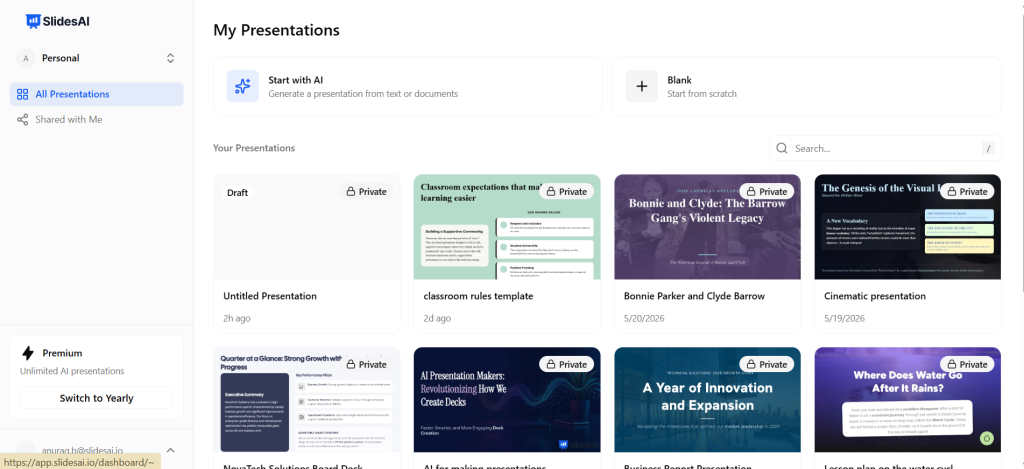
Step 1: Open SlidesAI
You can create presentations through the Google Slides extension, PowerPoint integration, and SlidesAI web application.
For this walkthrough, we will use the SlidesAI web app.
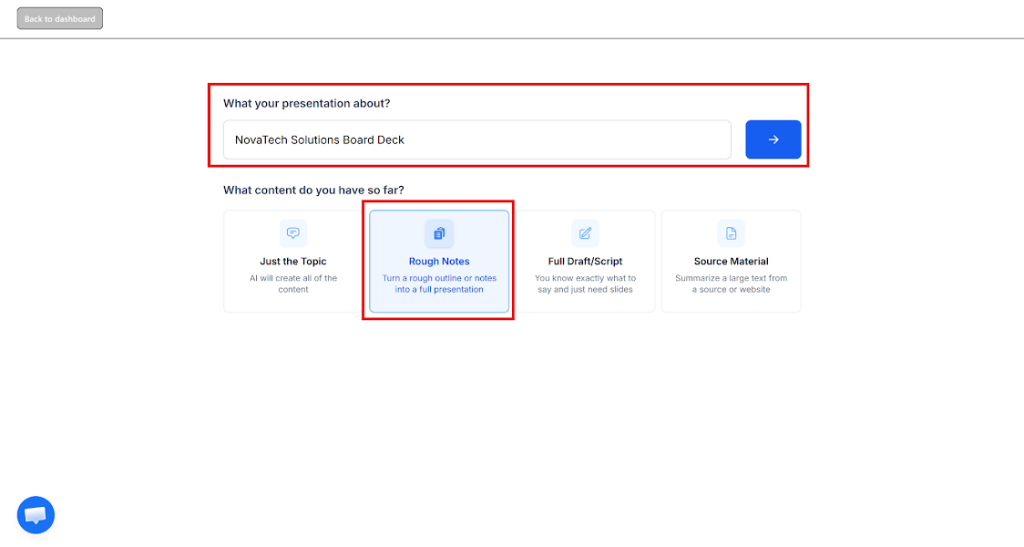
Step 2: Select the “Rough Notes” Workflow
Choose the “Rough Notes” option. This feature works well for quarterly reports, business summaries, and executive updates.
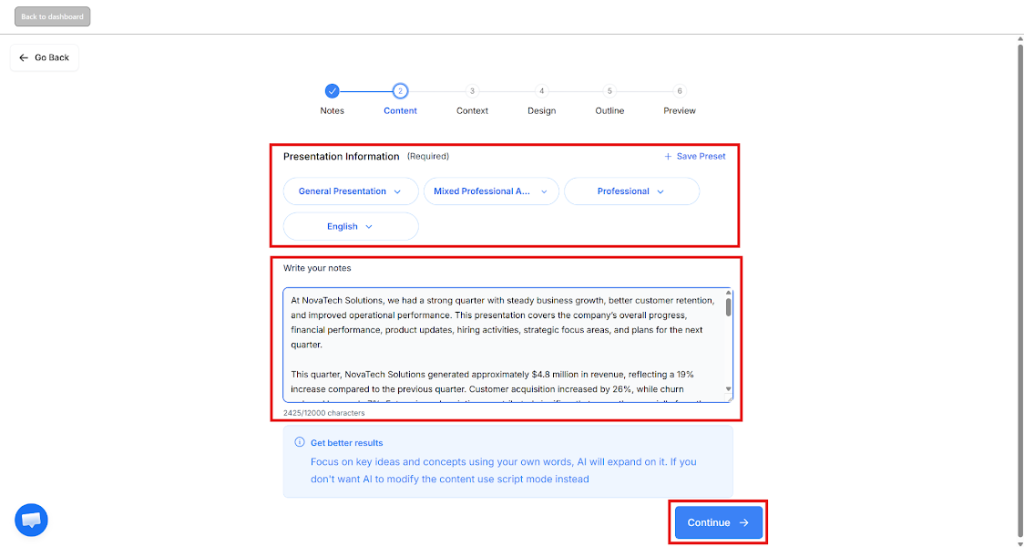
Step 3: Upload Reports & Configure Presentation Settings
Upload your notes or supporting material.
SlidesAI automatically analyzes the content and extracts key information.
Recommended settings for board deck presentations:
- Presentation Type: General Presentation
- Audience: Mixed Professionals
- Tone: Professional
- Language: Preferred language
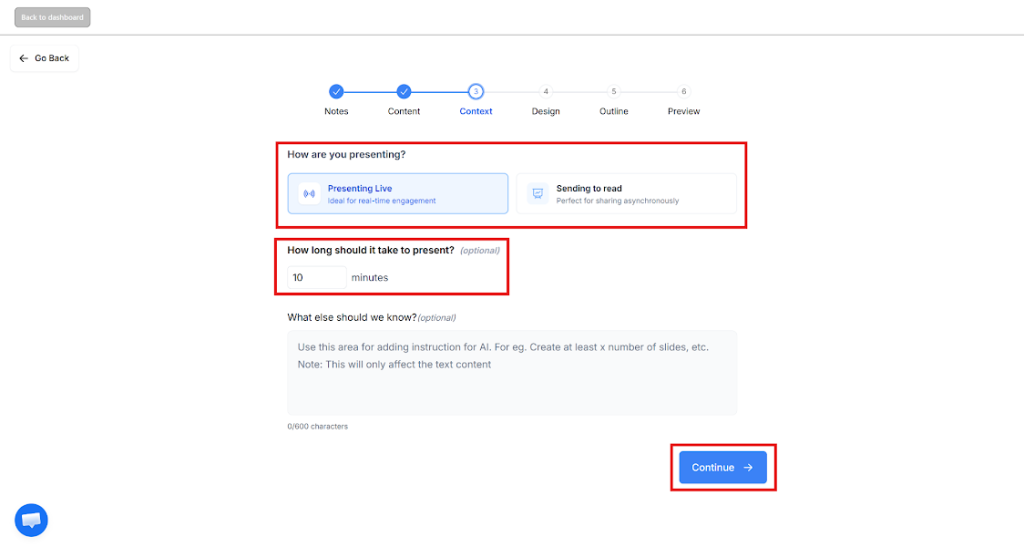
Step 4: Add Presentation Context
Specify additional context for your presentation, including:
- Whether the presentation will be delivered live
- Whether it will be shared for review
- Presentation length requirements
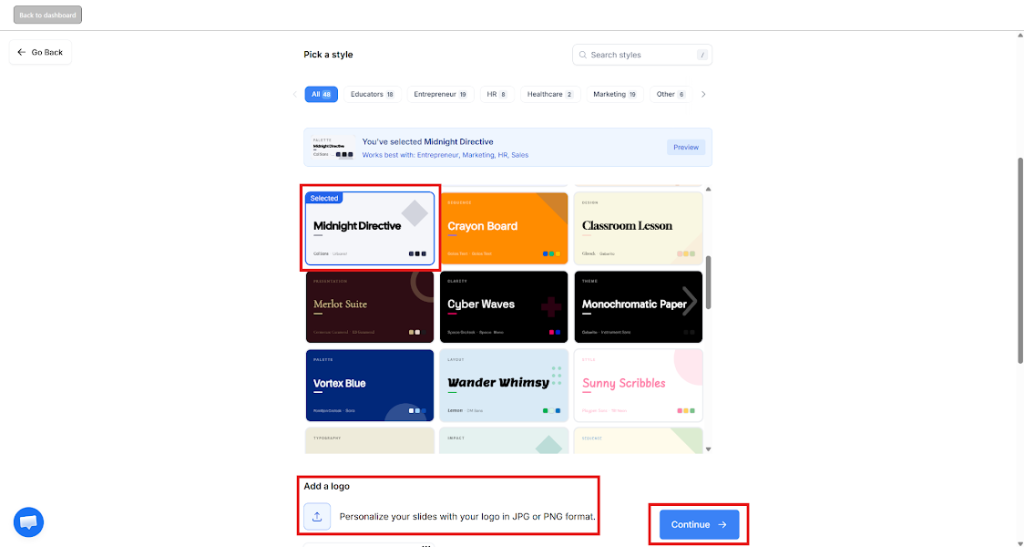
Step 5: Select a Professional Presentation Design
Choose from business presentation templates that match your company’s style. You can also upload your company logo and branding elements.
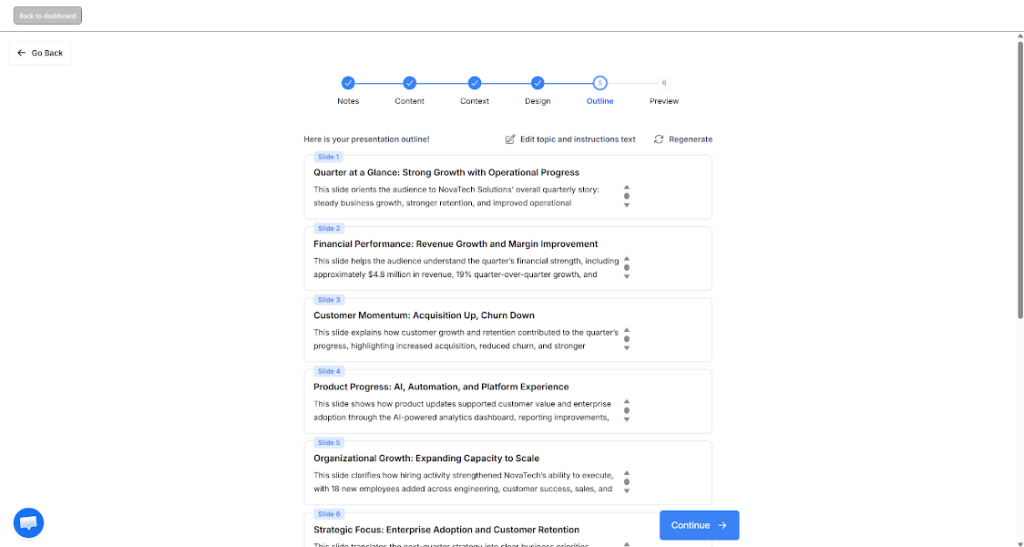
Step 6: Review the Generated Structure
After you provide the necessary details, SlidesAI will automatically create a presentation outline. You just need to review the flow and adjust sections where necessary.
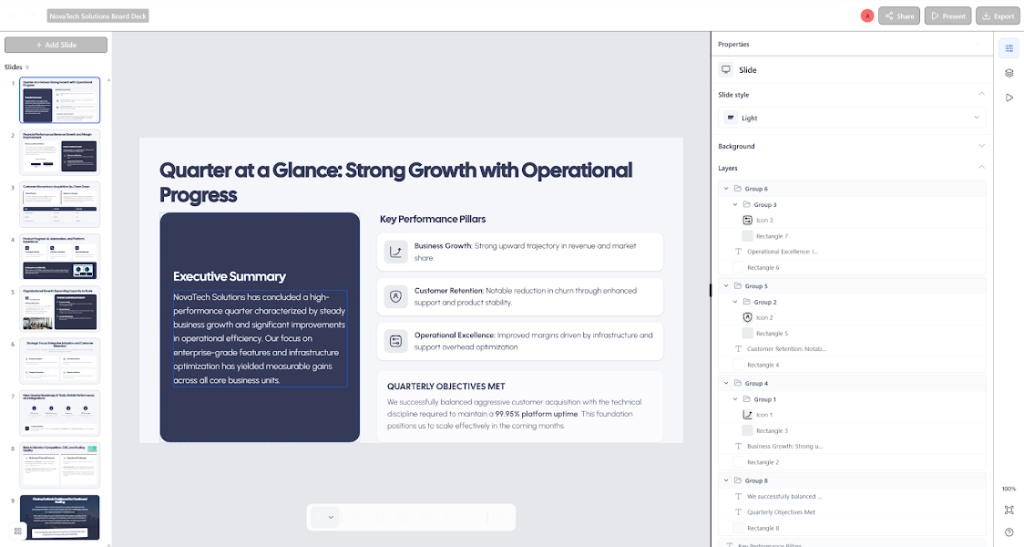
Step 7: Finalize & Customize the Presentation
Review the generated slides carefully. You can even add charts, simplify messaging, adjust wording, and customize visuals as per your needs before presenting.
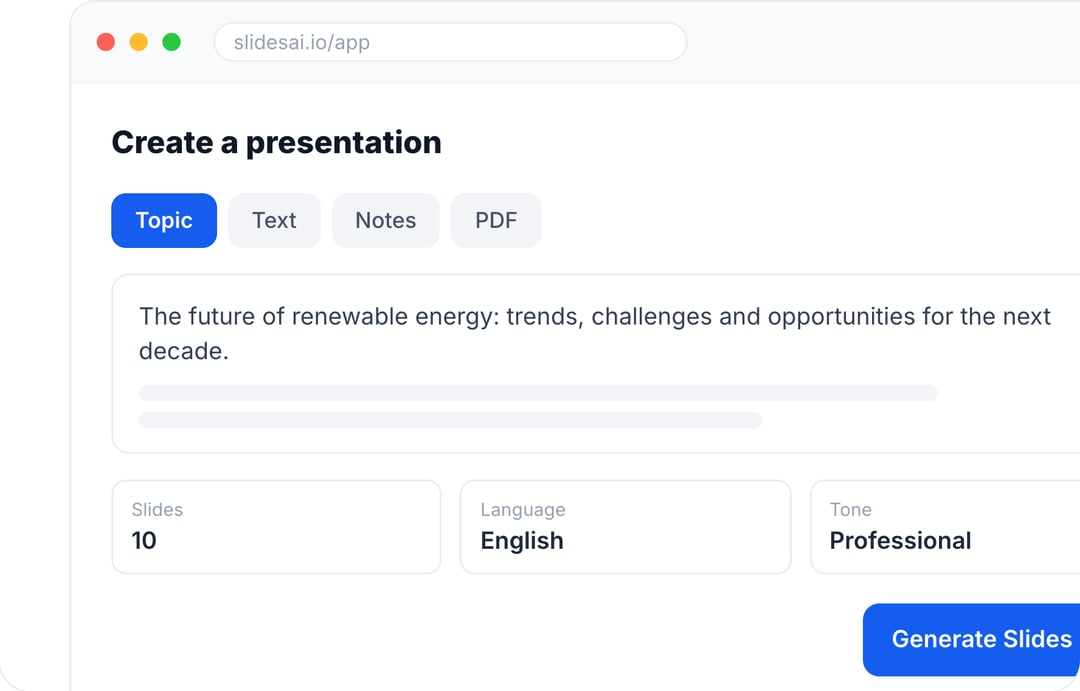
Create Presentations in Minutes With SlidesAI
- Start with a topic, text, notes, or PDF
- Generate slides in minutes
- Customize your presentation with ease
Quick Tips for Better Board Presentations
Even strong presentations can become difficult to follow if too much information appears on slides. These practices help improve clarity.
- Use Existing Templates: Templates help maintain consistency and reduce formatting work.
- Keep Slides Focused: Each slide should communicate one major idea clearly.
- Share Materials Before Meetings: Providing materials early gives stakeholders more time to review information.
- Use Visual Summaries: Charts and visual summaries help executives understand trends more quickly.
Common Board Presentation Mistakes to Avoid
- Not Understanding Your Audience: Executives, investors, and department leaders may prioritize different information.
- Presenting Without a Clear Objective: Presentations without purpose often feel disconnected and difficult to follow.
- Overloading Slides With Information: Large blocks of text reduce readability and distract from key insights.
- Using Too Much Technical Language: Avoid unnecessary jargon that slows down understanding.
Create Presentations Easily in Google Slides and PowerPoint
14M+Installs
 Install add-in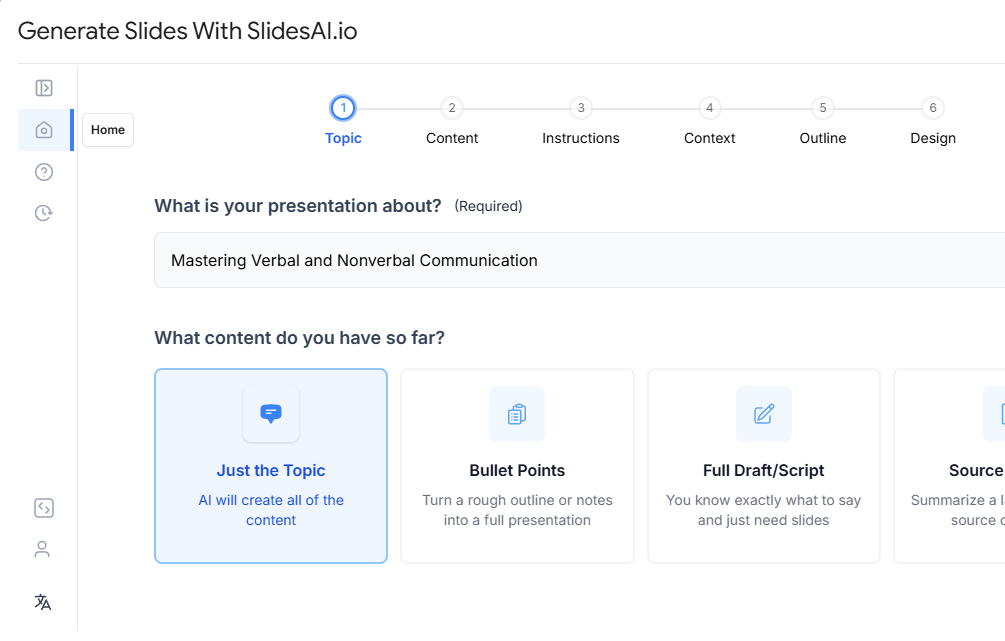
Conclusion
Creating a professional board deck presentation does not need to consume an entire day. Strong presentations come from organized content, clear structure, and concise communication.
AI tools like SlidesAI can dramatically reduce the time spent creating executive presentations by turning reports and business updates into presentation-ready slides.