

“How Many Slides Do I Need for a Presentation?” is one of the first questions you run into when you open a blank deck. The honest answer is that it depends on your time limit, but that’s not much help when you’re staring at a countdown clock and a due date.
This guide breaks it down by presentation length, from a quick 5-minute pitch to a full 60-minute session. Use it as a quick reference: find your time slot, get a slide range, and start building.
Quick Answer:
As a general rule of thumb, aim for 1-2 minutes per slide. That means:
- 5-minute presentation: 2-5 slides
- 10-minute presentation: 5-12 slides
- 15-minute presentation: 10-15 slides
- 20-minute presentation: 12-18 slides
- 30-minute presentation: 15-20 slides
- 45-minute presentation: 25-35 slides
- 60-minute presentation: 30-40 slides
What is the Core Rule of Thumb for Slide Count in Presentation?
Most slide-count guidelines trace back to the same idea: spend somewhere between 0.5 and 2 minutes per slide. Entrepreneur Guy Kawasaki’s well-known 10/20/30 rule builds on this. It recommends:
- 10 slides maximum
- 20 minutes in length
- 30-point font minimum, so your text stays readable from the back of the room
It’s a helpful anchor, especially if you tend to overload slides with text. But it’s not gospel. Some experts recommend as few as 2 slides for a 20-minute talk, others recommend 40. The right number depends on your content and delivery style, not a formula.
Slide Count Breakdown by Duration
How Many Slides for a 5-minute presentation?
When preparing for a 5-minute presentation, a useful guideline to consider is to aim for about 2 to 5 slides. This comes from the general idea that each slide should take around 0.5 to 2 minutes to discuss. Structure the slides around a simple arc:
- Cover Slide (What) – Introduce your topic with a captivating image or statistic to grab attention and set the tone.
- Thesis Slide (What, Continued) – State your main idea clearly, ideally as a question to spark curiosity and keep focus.
- Problem Slide (Why?) – Present the problem in relatable terms and back it with data or visuals to show its urgency.
- Solution/Analysis Slide (How) – Restate the problem briefly, then explain your solution clearly using bullet points or short sentences.
- Conclusion (What’s Next) – Recap key points, prompt action, and end with a memorable statement or question.
Related Read – Best 5-Minute Presentation Ideas & Topics
How Many Slides for a 10-minute Presentation?
A good rule of thumb is one slide per minute, so plan for roughly 5 to 12 slides. If you’re following the 10/20/30 rule, aim closer to 8-10 slides at about a minute each.
- Title & Hook (0-1 min) — Share your title, your name, and a striking statistic or bold opening statement.
- The Problem / The Gap (1-2 min) — Define the core issue or pain point your presentation solves.
- Point 1 (2-3 min) — Introduce your first data point, case study, or argument.
- Point 2 (3-5 min) — The core of your presentation. Use a chart or strong visual to prove your point.
- Point 3 (5-7 min) — Your final supporting data point or key takeaway.
- Impact/Decision (7-8 min) — Explain what these insights mean and why they matter for the business or project.
- Conclusion & Call to Action (8-9 min) — Summarize your most critical finding and tell the audience exactly what to do next.
- Q&A & References (9-10 min) — Show a final slide with your contact info, social handles, or key links so they stay visible during questions.
Related Read – Best 10-Minute Presentation Ideas & Topics
How Many Slides for a 15-minute Presentation?
Plan for 1-2 minutes per slide, which lands you around 10-15 slides. Adjust based on how complex your material is and how familiar your audience already is with the topic. Data-heavy or unfamiliar subjects usually need more slides (and more time per slide) than a straightforward storytelling talk.
- Title Slide (30 seconds): State your company name, tagline, and what you do in a single clear sentence.
- The Hook & Agenda (1.5 minutes): Open with a compelling stat or story, then preview what you’ll cover.
- The Problem / Gap (1 minute): Name the specific pain point your audience recognizes and feels.
- The Solution (1.5 minutes): Show how your product or idea directly solves that problem.
- Value Proposition (2 minutes): Explain why your solution wins, what makes it different, and the outcome it delivers.
- Customer Story or Use Case (1.5 minutes): Prove it works with a real example, result, or testimonial.
- Execution & Timeline (2 minutes): Lay out how you’ll get there and the key milestones along the way.
- The Ask / Financials (2 minutes): State exactly what you need and back it up with the numbers.
- Summary & Key Takeaways (1.5 minutes): Reinforce your three main points before you close.
- Thank You / Q&A Slide (1.5 minutes): Close with a clear next step and open the floor for questions.
How Many Slides for a 20-minute Presentation?
For a 20-minute presentation, aim for 10 to 10 slides, spending roughly 1 to 2 minutes on each. If you’re delivering a business pitch, the 10/20/30 rule (10 slides for a 20-minute talk) is worth considering, but let your content and story guide the final count rather than the rule itself.
- Title – Introduction
- Context (2-3 slides): Where you bring all the data to present the problem.
- Body (5-7 slides): Where you introduce your research, tools, or strategy to tackle the issue.
- Proposal: One or two slides where you deliver a response based on your presented findings.
- Conclusion (1-2 slides): Aim to include a powerful call-to-action and the Q&A session introduction.
How Many Slides for a 30-minute Presentation?
A common rule of thumb is to aim for 0.5-2 minutes per slide, which translates to roughly 15-20 slides for a 30-minute presentation. However, this is just a starting point and the actual number of slides may be more or less depending on the content, complexity, and style of the presentation.
- Title & Introduction (2 slides, 3-4 mins): Introduce yourself, your topic, and why it matters to this audience.
- Agenda / Objectives (1 slide, 1 min): Preview the main points you’ll cover so the audience knows what to expect.
- Main Content Sections (10-14 slides, 18-20 mins): Walk through your core argument or subject matter in logical, digestible sections.
- Case Study / Example / Demo (2-3 slides, 4-5 mins): Ground your points in a real example so the audience sees them applied.
- Summary & Key Takeaways (1-2 slides, 2 mins): Recap your main points before you close.
- Q&A or Closing Slide (1 slide, optional): Invite questions or end with a clear final message.
How Many Slides for a 45-minute Presentation?
When planning a 45-minute presentation, it’s generally recommended to aim for about 0.5 to 2 minutes per slide. This translates to around 20-30 slides. However, this is just a rough guideline.
Here’s a breakdown for a 45-minute presentation:
- Title Slide (1 min): Title, your name, and contact information.
- The Hook / Problem (2 min): A compelling question, statistic, or story defining the core issue.
- Agenda / Main Takeaway (2 min): Your core argument and a high-level overview of the 3-5 key points you’ll make.
- Current State / Background (3 min): Brief historical context or the current landscape.
- The “Why” / Motivation (3 min): Why this topic requires attention or action.
- Key Challenges / Opportunities (4 min): Specific pain points or market gaps.
- Core Content / Solutions (15 minutes, 8-10 slides): This is the meat of your presentation. Break your content into 3 primary themes and dedicate 3 slides to each.
- Pillar 1 (5 min): Data, evidence, or your first major solution/point.
- Pillar 2 (5 min): Case study, practical application, or your second major point.
- Pillar 3 (5 min): Implementation, framework, or your third major point.
- Summary of Key Takeaways (2 min): Reiterate the 3 main pillars you discussed.
- Impact / Future Outlook (2 min): The long-term vision or benefits.
- Call to Action (CTA) (1 min): What you want the audience to do next.
- Q&A / Thank You (10 min): A simple slide displaying your contact information and a prompt opening the floor for questions.
How Many Slides for a 60-minute Presentation?
A common guideline for a full hour is 30-45 slides, based on the 1-2 minutes per slide rule. This range works well for conference talks, workshops, or any format where you need to cover material in depth.
- Title Slide (1 slide, 1 min): Show the presenter’s name, presentation title, and date.
- The Hook (1 slide, 1-2 mins): Open with a compelling statistic, short story, or provocative question that explains why the audience should care.
- The Agenda (1 slide, 1-2 mins): List the 3 to 5 main points the presentation will cover.
- The Challenge / Context (2 slides, 3-4 mins): Define the problem, current situation, or opportunity the presentation addresses.
- Point 1: Exploration & Evidence (3-4 slides, 6-8 mins): Present the first key argument, supported by a chart, data, or visual evidence.
- Point 2: Analysis & Detail (3-4 slides, 6-8 mins): Break down the mechanics or data behind Point 1.
- Point 3: Implications or Case Study (3-4 slides, 6-8 mins): Show a real-world application, before-and-after comparison, or the impact of the argument.
- Point 4: Solutions or Methodology (3-4 slides, 6-8 mins): Propose the approach that addresses the initial challenge.
- Point 5: Benefits & Outcomes (3-4 slides, 6-8 mins): State the results, value, or vision the proposal delivers.
- Summary & Key Takeaways (1-2 slides, 3 mins): Restate the 3 to 5 core points from the agenda.
- Call to Action (1 slide, 2 mins): State exactly what the audience needs to do next.
- Q&A and Discussion (2 slides, 5 mins): Open the floor for questions, then close with a thank-you slide showing contact information.
Slide Count for Different Types of Presentation
Not every presentation follows the same pacing, even at the same length. The format you’re building, whether it’s a pitch, a training session, or a keynote, shapes how many slides you actually need and how long you spend on each one. Here’s how slide count tends to break down by presentation type.
| Presentation Type | Typical Slide Count |
|---|---|
| Business Meeting | 10–15 slides |
| Sales Pitch | 10–20 slides |
| Educational Lecture | 15–25 slides |
| Conference Talk | 20–40 slides |
| TED-Style Presentation | 20–60 slides |
| Technical Presentation | 10–20 slides |
Know your slide count. Now skip the blank page; start from a template built for your presentation type. Browse Free Presentation Templates
What Are The Factors Affecting the Presentation Slide Count?
- Topic complexity – Technical, data-heavy, or unfamiliar topics need more slides to break information into digestible pieces. Simple, familiar topics can move faster with fewer slides.
- Audience. Executives and decision-makers often prefer fewer, high-level slides. Training or educational sessions typically need more detailed, step-by-step slides. Consider how long your specific audience can stay engaged and how much they already know.
- Speaking pace. Fast speakers can comfortably cover 2-3 slides per minute. Slower, more deliberate speakers might spend 2-3 minutes on a single slide. The only real way to know your pace is to rehearse and time yourself.
- Presentation style. Visual, storytelling-driven talks tend to move through more slides quickly since each one holds less text. Data-heavy or lecture-style presentations usually need more time (and often more slides) per point.
- Audience interaction. If you’re planning Q&A, polls, or discussion, build that time in before you count slides. For a 45-minute talk, for example, reserving 5-10 minutes for interaction leaves you with 35-40 minutes of actual content to plan around.
Related Read – Best Presentation Topics from Different Categories
Presentation Tips to Stay on Time
Here are some tips to help you stay on time when giving a presentation:
-
Practice to Get Your Timing Right
It might seem simple, but practicing your presentation is the most important step. If you’re not fully familiar with the content, practicing helps you figure out how much time you really need.
-
Focus on the Most Important Content First
Organize your presentation so that the key points come first. If you run out of time, at least you’ve covered the critical information.
-
Stick to a Few Key Points
Choose the three main takeaways you want your audience to remember. Mention them at the beginning and the end to make sure they’re clear. It’s easier for your audience to remember a few key ideas instead of a long list.
-
Use Time Markers
Plan to be at certain slides by specific times. This way, you can keep track of your pace and adjust if you’re running ahead or behind.
-
Keep It Simple
Avoid cramming too much into your presentation. People can only focus for so long, so it’s better to go deep on a few topics than rush through too many.
-
One Idea Per Slide
Each slide should focus on just one main idea. This keeps things clear and ensures the presentation flows smoothly.
-
Tell a Story
Think of your presentation like a story. Each slide should build on the one before, leading to a clear conclusion. This approach is much more engaging than a list of bullet points.
You’ve done the math on slide count. Now let AI do the math on content, structure, and design, so you start with a deck instead of a blank page. Try the AI Presentation Maker
Build Your Presentation with SlidesAI
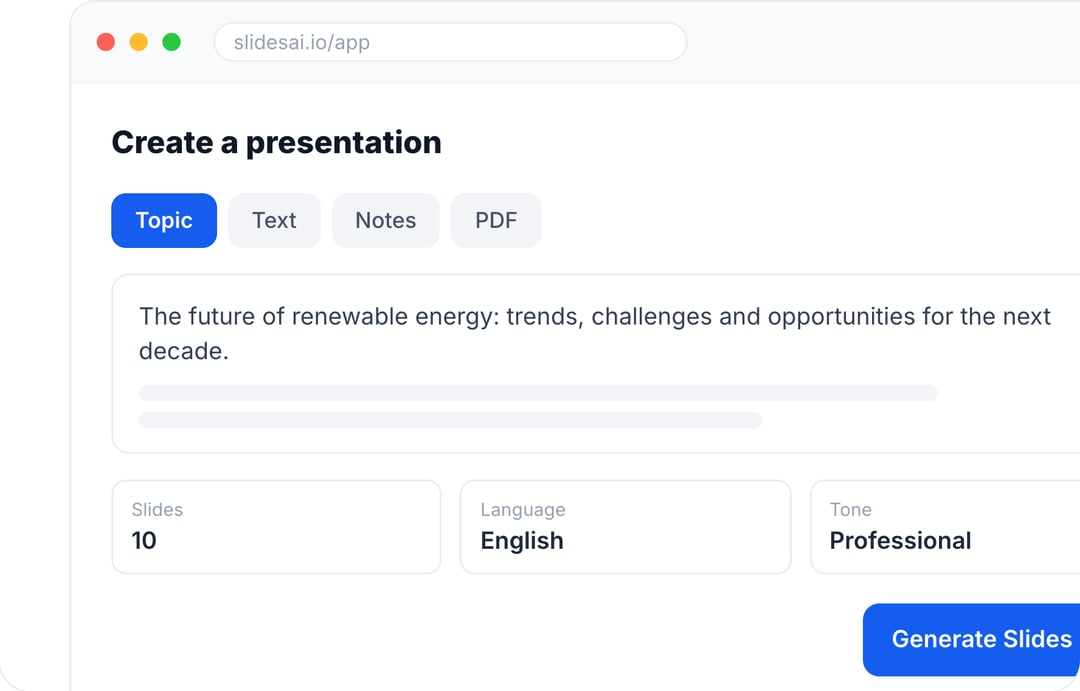
Once you know your ideal slide count, the next step is putting it together, and that’s where SlidesAI comes in. Instead of manually researching, outlining, and designing each slide, you can generate a fully structured presentation in minutes just by describing your topic.
SlidesAI works directly inside Google Slides and PowerPoint, so you don’t have to learn new software or leave the tools you already use. It also works through ChatGPT and as a standalone web app, giving you flexibility in how you create.
Just tell SlidesAI your topic and presentation length, and it builds a slide count, structure, and content suited to your timeframe, whether that’s a tight 5-minute pitch or a full 60-minute workshop. You get a starting deck with the right number of slides already in place, so you can spend your time refining the message instead of guessing at the outline.
Create Presentations in Minutes With SlidesAI
- Start with a topic, text, notes, or PDF
- Generate slides in minutes
- Customize your presentation with ease
Frequently Asked Questions Aout Slide Count for Presentation
1. Can I present 50 slides in 20 minutes?
Yes, if the presentation uses simple visuals, photographs, or storytelling slides. Many keynote speakers advance through slides quickly to maintain momentum.
2. Should I use animations in a 20-minute presentation?
Use animations sparingly. Simple transitions are fine, but too many animations can distract the audience and slow down your pace.
3. How long should I spend on each slide?
Aim for 45–120 seconds per slide. Complex charts or diagrams may require more time, while simple visuals may only need a few seconds.
4. Can I use more than 6 slides if my topic is complex?
While possible, it’s crucial to be very selective about information on each slide. Prioritize clarity and avoid cramming too much text.
5. I have a lot of data to present. How can I make it work in 5 minutes?
Use visuals like charts or graphs to represent key data points. Briefly explain the data’s significance.
6. How can I effectively time my PowerPoint presentation?
Plan roughly 1 to 2 minutes per slide, then rehearse with a timer to see where you actually land. Use PowerPoint’s Rehearse Timings feature to track your pace slide by slide, cut or trim slides that run long, and build in a few minutes of buffer for questions or unexpected pauses.
7. What should I do if I go over time?
If you’re running over, tell your audience the new end time right away and confirm they can stay. If you’ve lost their attention, jump to a summary of your key points. A strong close is what your audience will actually remember.