Long reports are useful, but they are not always easy to present. A 20 page document may contain strong ideas, research, and conclusions, but pulling out the important parts takes time. This is where prompts can help. In this blog, we will take a look at ready to use prompts that help turn reports into bullet points or structured slide outlines without losing the meaning behind the content.
Whether you are creating a presentation, preparing an executive summary, or simplifying information for an audience, the right prompt can save hours of manual work.
Ready to Use Prompts: Turning a Report into Bullets and Slide Outlines

Here’s a closer look at some of the best ready to use prompts to turn a report into bullets and slide outlines.
1. For a Quick Summary
Sometimes you do not need every detail from a report. You just need the important points pulled together in a fast, readable format. Quick summary prompts work well when you are short on time or need to understand a document at a glance.
Bullet Prompts
- Pull out the strongest insights from this report and rewrite them into short bullet points someone can scan in under a minute.
- Read this report and identify the findings that matter most. Present them as clean, easy to read bullets.
- Break this report into a handful of high value bullet points that focus only on conclusions.
- Create a compact bullet summary that captures the overall message without explaining background information.
- Identify the sections that carry the most weight in this report and rewrite them into quick takeaways.
- Reduce this report into a short list of important lessons or discoveries.
- Give me a bullet based recap of this report written for someone who has no time to read the full document.
Slide Outline Prompts
- Turn this report into a short presentation outline that can be explained in under ten minutes.
- Create a slide flow where each slide highlights one major idea from the report.
- Build a presentation structure that gives a quick understanding of the report from beginning to end.
- Break this report into slides that focus only on major insights and final outcomes.
- Create a presentation outline that summarizes the report without overwhelming the audience.
- Organize this report into a short deck with an introduction, findings, and conclusion.
- Convert the strongest parts of this report into presentation sections.
2. For an Executive Audience
Executives often care about impact, business outcomes, and risks. These prompts help remove detail that slows things down.
Bullet Prompts
- Rewrite this report into leadership level talking points focused on growth, challenges, and next steps.
- Pull out the findings that would matter most to someone making business decisions.
- Create a short executive summary from this report using business language and measurable outcomes.
- Turn this report into bullets that highlight risk, opportunity, and performance.
- Extract the information that would be useful in a boardroom discussion.
- Summarize this report from a business strategy perspective.
- Write bullets that explain what leadership should pay attention to immediately.
Slide Outline Prompts
- Convert this report into an executive presentation with clear business conclusions.
- Create a leadership deck that focuses on decisions rather than explanations.
- Build slides that answer: What happened? Why does it matter? What should happen next?
- Turn this report into a strategy presentation for senior stakeholders.
- Create a presentation outline designed for a quarterly leadership review.
- Build a slide deck that explains business impact instead of technical detail.
- Organize this report into a leadership briefing with concise slide headlines.
3. For a Non Technical Audience
Some reports contain industry language that can confuse readers. When your audience includes beginners, students, or the general public, simplification becomes important. These prompts simplify the language without removing meaning.
Bullet Prompts
- Rewrite this report into plain language bullet points for someone unfamiliar with the topic. Avoid technical words and explain ideas naturally.
- Summarize this report into simple bullet points that a general audience could understand without needing extra context.
- Convert this report into short bullets that explain the findings using everyday language.
- Rewrite the report for beginners. Keep sentences simple and avoid industry specific terminology.
- Extract the important ideas from this report and explain them like you are teaching someone new to the subject.
- Turn this report into conversational bullet points that sound natural and easy to follow.
- Simplify the report into a list of takeaways that explain what happened and why it matters.
Slide Outline Prompts
- Convert this report into a beginner friendly presentation outline with clear titles and easy to understand bullets.
- Create a slide deck designed for a non technical audience. Avoid jargon and explain findings in simple terms.
- Build a public facing presentation from this report where each slide focuses on one understandable message.
- Turn this report into slides for a workshop or educational session.
- Create a presentation outline that explains difficult topics step by step.
- Organize the report into slides that make complicated ideas feel approachable.
- Build a slide structure for mixed audiences where technical information is simplified but still accurate.
4. For Action Oriented Output
Not every report is meant to stay informational. Some reports exist to guide decisions and create next steps. Action focused prompts help move from analysis to execution.
Bullet Prompts
- Convert this report into a list of clear actions. Each bullet should begin with a strong verb and explain what needs to happen next.
- Rewrite this report as a task list with short explanations for each action.
- Pull out all recommendations from this report and organize them by urgency.
- Turn report findings into a practical checklist someone could follow.
- Extract the next steps suggested by this report and rewrite them as assignable actions.
- Convert this report into a short implementation plan with immediate, short term, and long term actions.
- Summarize the report as a series of recommended moves for a team or organization.
Slide Outline Prompts
- Build an action focused presentation where each slide represents a priority area.
- Convert this report into a roadmap presentation divided into phases.
- Create a slide deck focused entirely on what should happen next.
- Turn this report into a planning presentation for execution teams.
- Build a presentation where every slide contains a recommendation and supporting reasoning.
- Organize the report into a strategy to execution slide structure.
- Generate an implementation focused deck with timelines, owners, and next steps.
5. For a Data Heavy Report
Reports filled with statistics often become difficult to present clearly. Data prompts help organize numbers into understandable insights.
Bullet Prompts
- Extract the strongest statistics from this report and explain why each one matters.
- Pull out all major percentages, trends, and benchmarks from this report as bullet points.
- Rewrite this report into data focused bullets where every point includes a measurable insight.
- Create bullet points that explain what the numbers show rather than simply repeating them.
- Turn this report into a metrics summary with short explanations beside each number.
- Identify the most important trends in this report and rewrite them as insights.
- Summarize this report using only measurable findings and data backed conclusions.
Slide Outline Prompts
- Convert this report into a data presentation where each slide focuses on one important metric.
- Build a slide outline that explains trends, movement, and performance over time.
- Create a KPI based presentation structure using this report.
- Turn this report into a dashboard style presentation outline.
- Build a presentation where each slide contains one data insight and supporting explanation.
- Generate a metrics review deck with suggested charts for each slide.
- Create a data storytelling presentation that moves from numbers to conclusions.
6. For a Story Driven Presentation
Reports become more memorable when they follow a narrative. Story based prompts help transform information into a flow that keeps people interested.
Bullet Prompts
- Rewrite this report into a story that begins with a challenge and ends with an outcome.
- Turn the findings into bullet points that follow a clear journey from discovery to resolution.
- Convert this report into a sequence of events that explains what changed and why.
- Organize this report into a narrative structure with beginning, conflict, insight, and conclusion.
- Rewrite the report into a case study style summary.
- Create bullet points that connect findings naturally instead of listing disconnected facts.
- Summarize the report as a journey of problem solving.
Slide Outline Prompts
- Build a presentation that follows a beginning, middle, and end structure.
- Convert this report into a storytelling deck with a logical flow between slides.
- Create a slide outline where each slide builds on the previous insight.
- Turn this report into a narrative presentation that starts with a challenge and ends with recommendations.
- Organize the report into a case study presentation.
- Build a deck that introduces tension, explores findings, and closes with outcomes.
- Create a slide structure that feels like a guided journey through the report.
7. For a Pitch Style Deck
Pitch presentations need to persuade. The wording must sound confident, focused, and outcome driven.
Bullet Prompts
- Rewrite this report into persuasive bullet points that highlight opportunity and value.
- Extract findings that would convince someone to invest, approve, or support an idea.
- Turn this report into a list of proof points that strengthen a proposal.
- Create bullets that focus on benefits, impact, and urgency.
- Rewrite the strongest findings as persuasive talking points.
- Pull out the evidence that makes the report most convincing.
- Convert this report into pitch ready messaging for stakeholders.
Slide Outline Prompts
- Build a persuasive slide deck from this report designed to influence decisions.
- Turn this report into a pitch presentation where every slide supports one argument.
- Create a proposal deck outline that highlights opportunity and outcomes.
- Build a presentation that starts with a problem and ends with a compelling recommendation.
- Convert this report into a business case presentation.
- Organize this report into a slide structure that builds confidence and urgency.
- Create a pitch deck outline that focuses on value, proof, and next steps.
“Ready to turn your prompts into slides? Try our ChatGPT Presentation Maker and create presentation-ready decks in minutes.”
Prompt Inputs for Tools Like SlidesAI
AI presentation tool like SlidesAI work best when you give them clear direction instead of a vague request. Simply pasting a report and asking for slides often leads to generic output. A detailed prompt tells the tool what kind of presentation you want, who it is for, how detailed it should be, and what structure to follow.
The more specific your instructions are, the more usable the final presentation becomes. You can guide the tone, control the number of slides, decide how information is grouped, and even influence how content appears on each slide.
Here are some prompt examples you can use directly:
- [Paste report text] Create a 10 slide educational presentation from this report. Include a title slide, agenda slide, section divider slides, and a final thank you slide. Keep the tone professional and informative. Each content slide should include a short title, 3 to 4 concise bullet points, and a suggested speaker note expanding on the idea. Maintain a logical flow from introduction to conclusion.
- Generate a structured presentation outline from this report. Preserve important wording where needed, but shorten long paragraphs into presentation friendly text. Keep slide text concise and move detailed explanations into speaker notes. Create section headers to separate major themes and make the presentation easy to follow.
- [Paste report text] Build a presentation for a business audience using this report. Create 8 to 12 slides with clear section breaks such as Overview, Findings, Insights, Recommendations, and Next Steps. Keep slide content brief and presentation ready while maintaining professional language. Include suggested slide titles and supporting bullets.
- Create a presentation that separates findings, insights, and recommendations.
Tips for Better Results
Here’s a closer look at some tips that can help you write better prompts for slide generation:
1. Set Constraints
Be specific about word count, number of slides, tone, or audience. Clear boundaries help produce more accurate results.
2. Iterate
The first output may not be perfect. Try changing wording, adding more context, or narrowing the request.
3. Define the Persona
Tell the AI who it is speaking to. A presentation for students should sound different from one for executives.
4. Use Active Verbs
Words like explain, summarize, compare, recommend, and prioritize often lead to stronger outputs.
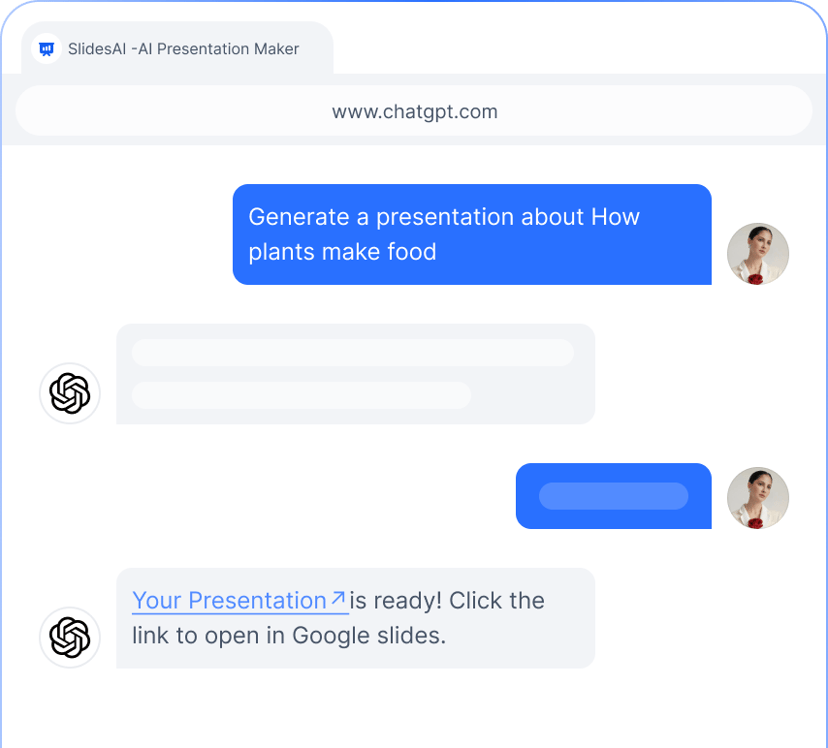
Create presentations from your ideas using  SlidesAI in ChatGPT.
- Create presentations from a simple prompt
- Let AI structure your presentation
- Export directly to Google Slides, PowerPoint or PDF
Closing Thoughts
Turning a report into bullets or slides is not only about shortening text. It is about making information easier to understand and present.
A well written prompt helps pull out the strongest ideas, organize them logically, and shape them for the right audience. Whether you are creating a quick summary, leadership presentation, or story driven deck, the prompt itself plays a huge role in the quality of the result.
The more intentional your instructions are, the better the output becomes.