Creating engaging classroom presentations from scratch takes more time than many people realize. Fortunately, AI tools are changing that process.
Instead of spending hours creating slides manually, you can now create complete presentations in minutes while still keeping lessons engaging and classroom-ready.
Why Do Teachers Spend So Much Time Creating Classroom Slides?
Lesson preparation involves much more than adding text to a few slides. Many small tasks quickly add up and consume valuable hours.
- Organizing Teaching Material: As a teacher, you would often need to turn your textbook chapters, notes, and lesson plans into structured presentation content before creating slides.
- Adjusting Slide Design & Layouts: Formatting slides, aligning content, changing fonts, and maintaining consistency often takes longer than expected.
- Searching for Visuals & Real-Life Examples: Then comes the visual part. You’re constantly searching for images, diagrams, examples, and supporting materials that can help your students understand concepts more clearly.
- Making Lessons More Interactive: You may even end up spending additional time trying to create presentations that keep students interested and encourage classroom participation.
How Does Late-Night Slide Preparation Affect Teachers?
Spending several hours creating presentations after school can eventually impact both your productivity and personal well-being.
- Personal Time Starts Disappearing: When lesson preparation stretches into evenings and weekends, you lose valuable personal and family time.
- Creativity Feels Drained Before Monday Arrives: Spending Sunday nights building slides can often leave you mentally tired before the school week even begins.
- Teaching Takes a Backseat to Design Work: You may sometimes end up spending more time adjusting layouts and formatting slides than focusing on classroom delivery and lesson quality.
How to Create Classroom Lesson Slides Quickly Using SlidesAI
Instead of creating classroom presentations from scratch, you can use AI to build structured lesson slides much faster.
Here’s the step-by-step process:
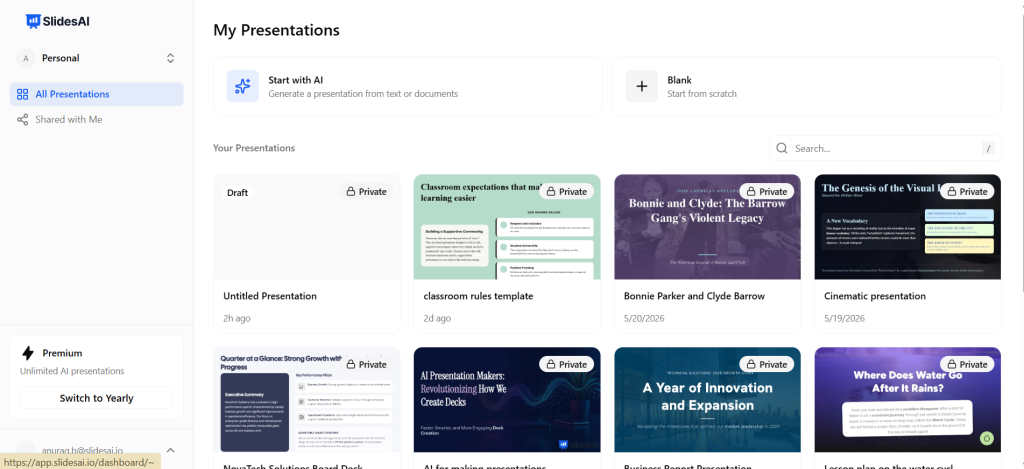
Step 1: Open SlidesAI
You can use SlidesAI through the web app, Google Slides extension, or PowerPoint integration.
For this example, we will use the SlidesAI web application.
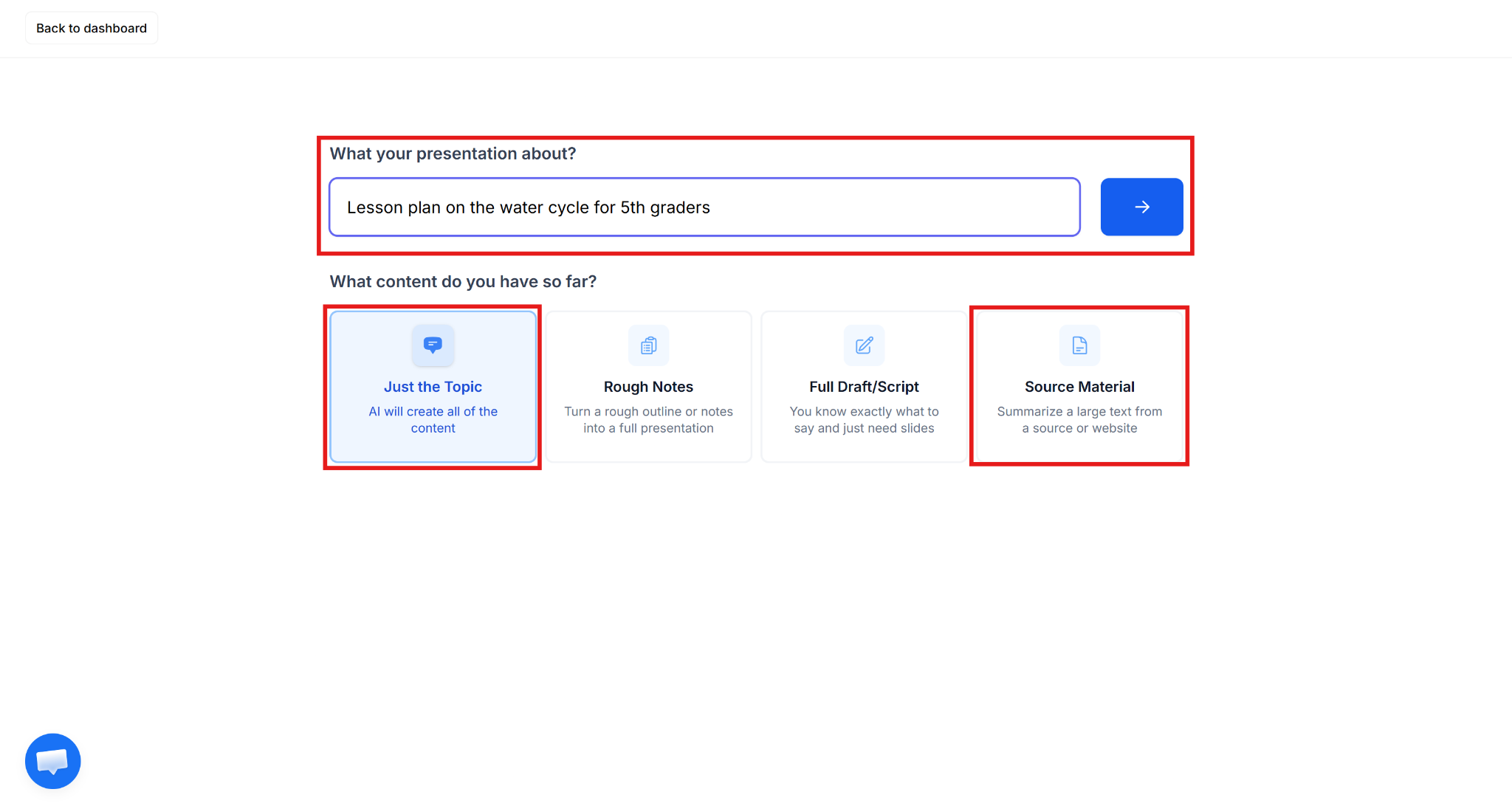
Step 2: Select How You Want to Build Your Presentation
SlidesAI gives you two simple ways to create presentations.
- Option 1: Enter Only a TopicYou can simply enter lesson topics such as: The Water Cycle or Introduction to Algebra SlidesAI will automatically generate a presentation structure.
- Option 2: Upload Existing MaterialYou can also directly upload your existing material, such as your lesson notes, PDFs, DOCX files, chapter summaries, and classroom handouts. This helps create more customized presentations with richer content. This flexibility works well for both quick classroom sessions and detailed teaching materials.
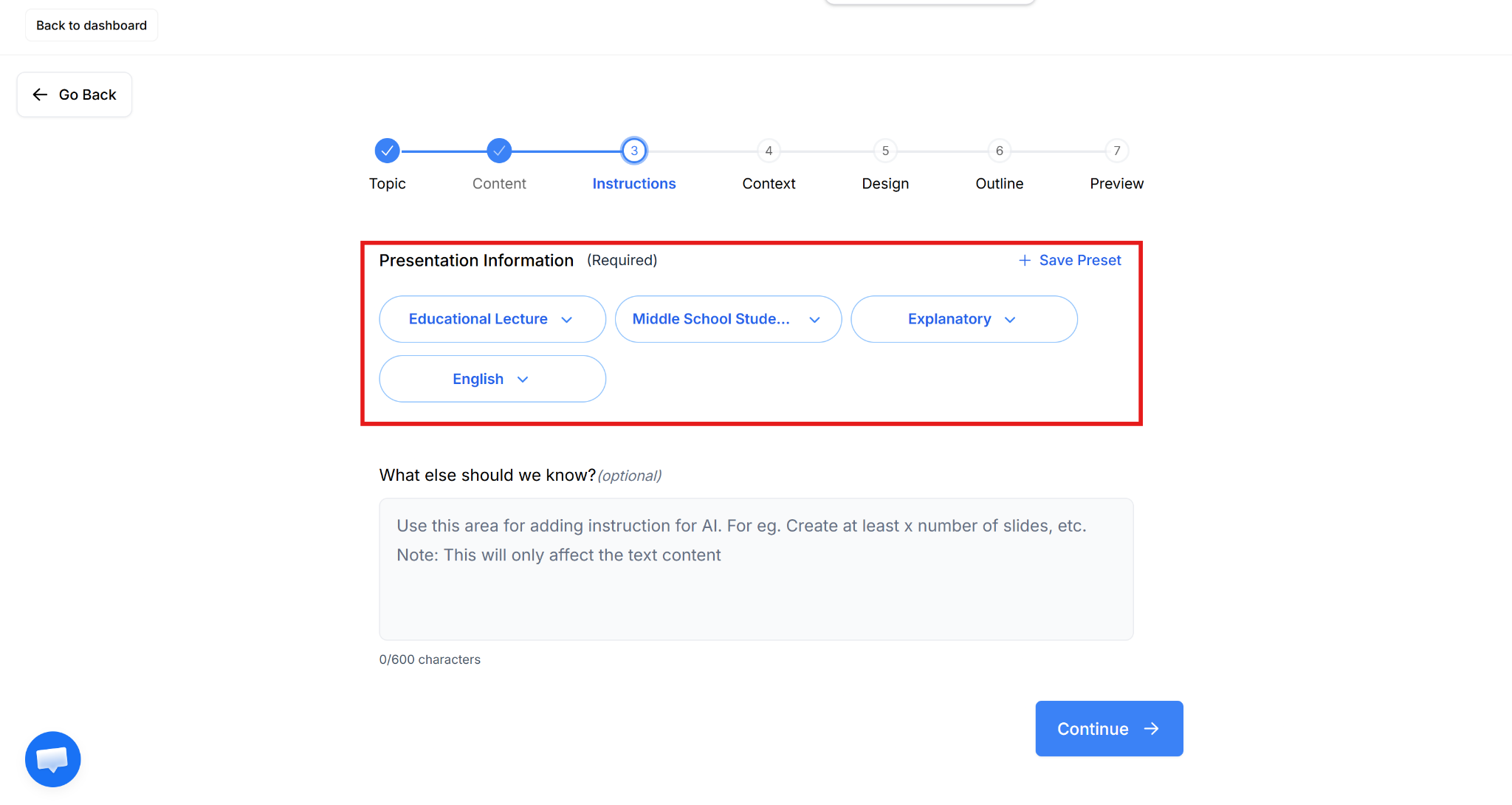
Step 3: Configure Presentation Preferences
Recommended settings for teachers:
- Presentation Type: Education Lecture
- Audience: Match student level (Elementary, Middle School, High School, etc.)
- Tone: Explanatory
- Language: Preferred teaching language
These settings help create content appropriate for classroom learning.
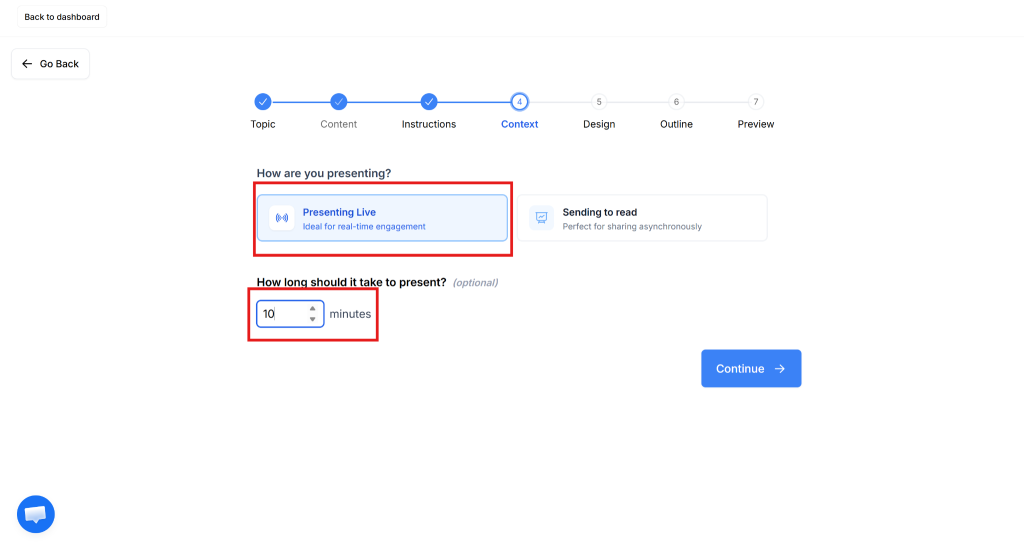
Step 4: Add Additional Teaching Context
In this step, specify additional presentation context:
- Whether you will present live or share slides later
- Presentation length
- Additional classroom instructions
This gives SlidesAI a better context for slide generation.
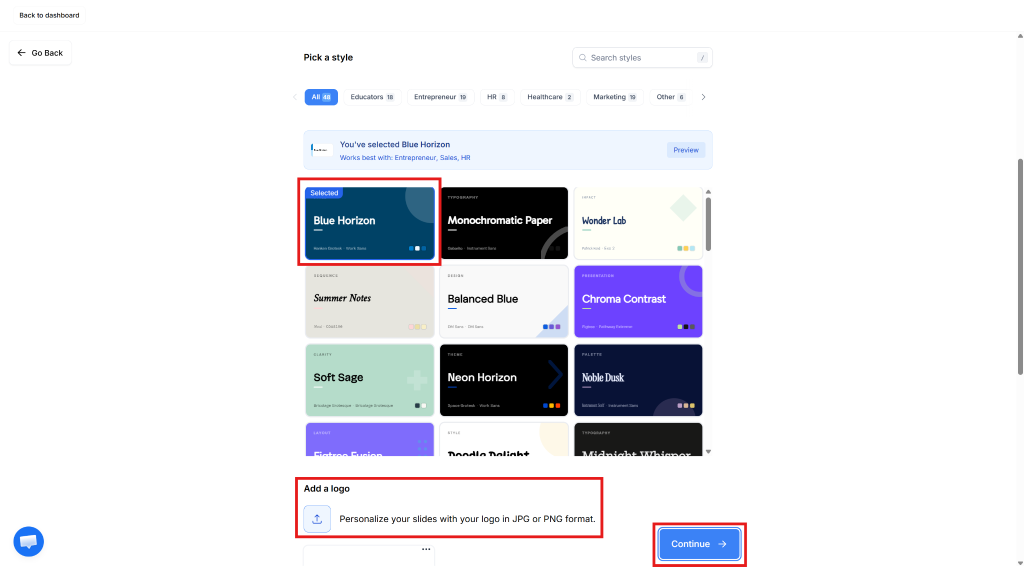
Step 5: Pick a Classroom-Friendly Template
Choose a presentation design that feels clean and easy for students to follow. You can even upload logos or customize visuals if needed.
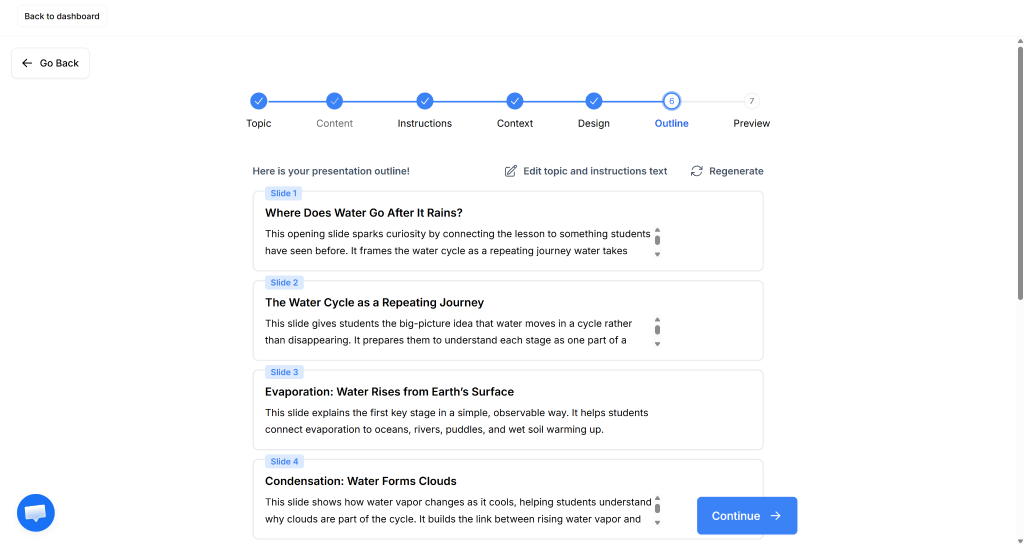
Step 6: Review the AI-Generated Outline
SlidesAI automatically creates a structured lesson outline. Review the flow and adjust sections if needed before moving ahead.
Step 7: Edit & Finalize Your Presentation
Review generated slides, simplify explanations if necessary, add visuals, and make final edits before using them in class.
Your presentation is now ready.
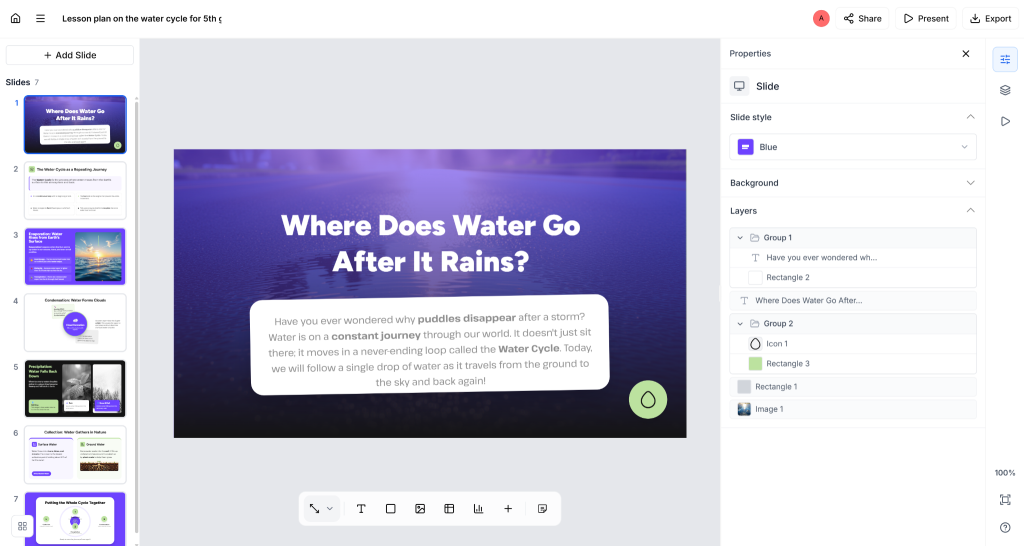
“Save more time on lesson prep with professionally designed templates for your presentations”
What Are the Benefits of Using AI for Lesson Preparation?
AI simply removes repetitive work and gives educators more time to focus on learning outcomes.
- It Reduces Mental Load During Preparation – Teachers already manage planning, grading, communication, and classroom activities. AI reduces the effort spent building presentations manually.
- It Helps Generate Fresh Teaching Ideas – AI can suggest structures, examples, and content approaches that teachers may not immediately think of themselves.
- It Supports Different Learning Styles – Teachers can quickly adjust presentations for different age groups, learning levels, or classroom needs without spending extra time rebuilding content.
- It Makes Updating Content Easier – You can also quickly include current examples, trends, and new information without rebuilding presentations from scratch.
- It Encourages More Interactive Teaching – With less time spent formatting slides, teachers can focus more on activities, discussions, and student engagement.
Create Presentations Easily in Google Slides and PowerPoint
14M+Installs
 Install add-in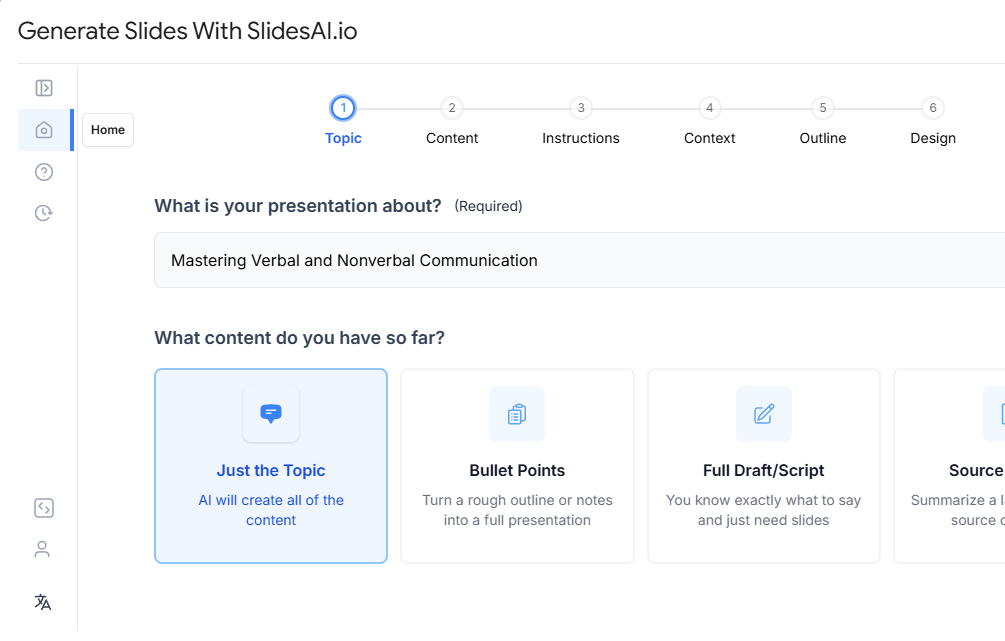
Conclusion
AI tools like SlidesAI help simplify lesson preparation by quickly turning topics and teaching materials into structured presentations. Instead of losing weekends to slide design, you can spend more time teaching, planning creatively, and enjoying personal time outside the classroom.