






AI App Investor Pitch Deck Presentation

AI App Investor Pitch Deck Presentation template

AI App Investor Pitch Deck Presentation

What is an AI App Pitch Template?

An AI App Pitch Template is a ready-to-use presentation format that helps you explain your AI product in a clear and organised way. Instead of building a deck from scratch, you use this template to present your app’s idea, features, and goals in a way that grabs attention. It usually includes sections like the problem your app solves, what makes your AI App special, how big the market is, your competition, and how you plan to grow.

How is an AI App Pitch Template Used?

You can use this pitch template in Google Slides or PowerPoint to create a professional-looking deck without wasting time on formatting. Just plug in your content, adjust the visuals to match your brand, and you’re ready to present. It works for live meetings, email attachments, demo days, or even quick screen shares. The goal is to keep your pitch sharp, visual, and easy to understand for busy investors, partners, and stakeholders.

Application of AI App Pitch Template

Here are different ways you can use the template depending on your goal:

1. Secure Funding from Investors

Clearly show what your AI app solves, how it works, who it’s for, and why now is the right time. The template helps you build a strong narrative so investors quickly see the value and potential of your product.

2. Attract Strategic Partnerships

Use the template to present your AI capabilities, what sets your tech apart, and how it can work with other platforms. This is helpful when approaching enterprises, ecosystems, or platforms for partnerships and integrations.

3. Accelerator & Grant Applications

When applying to incubators, accelerators, or AI funding programs, you need to keep things tight and goal-focused. The pitch template helps you present your innovation and its impact in a format that evaluators are used to seeing.

4. Product & Go-to-Market Pitches

Planning to approach early adopters or enterprise buyers? Use the template to explain what your product does, how it’s priced, who it serves, and how you plan to reach your target market.

5. Internal Alignment & Strategy Reviews

Even within your team, a clear pitch deck helps everyone get on the same page. Use the template to align on vision, product roadmap, business goals, and key milestones. It brings clarity during strategy discussions and keeps execution on track.

Tips for Creating an AI App Pitch Presentation Slides

1. Design Tips

  1. Show the AI Advantage Clearly: Every slide should make it clear how AI powers your product. Highlight where the technology is used and what real benefits it brings to the user or business.
  2. Keep Text Short and Simple: Don’t overload your slides with long paragraphs. Stick to bullet points and let visuals do the heavy lifting, especially when explaining AI concepts.
  3. Use Space Wisely: Give enough breathing room between text, charts, and diagrams so that nothing feels cramped.
  4. Let the Data Speak Visually: Instead of dumping numbers or technical text, show charts, model results, or before-and-after comparisons. This helps investors or decision-makers understand the value quickly.

2. Content Tips

  1. Stick to 10–15 Slides: Keep your pitch focused. Highlight the main problem, your AI solution, how it works, who it’s for, and why it matters.
  2. Keep a Consistent Look and Feel: Choose colours, fonts, and a design style that reflect your AI app’s personality. A strong visual identity builds trust and makes your app feel more polished.
  3. Showcase Results, Not Just Features: Add visuals like screenshots, use cases, performance graphs, or quick comparisons. These help people see how your AI app makes a difference in real-world settings.

3. Technical Tips

  1. Start with AI-Focused Templates: Use pitch deck templates built for AI apps. These save time and often include layouts for tech diagrams, user flows, and impact metrics.
  2. Align Everything Cleanly: Make sure charts, icons, and text boxes are properly spaced and lined up. Good alignment helps explain complex models and flows better.
  3. Double-Check Your Data and Claims: If you’re sharing model metrics or AI results, make sure they’re accurate. Mistakes in numbers can shake investor confidence.
  4. Add Links or Appendix Slides for Tech Details: Keep your main slides simple. Add deep-dive content like model architecture, training data, or security info in the appendix or through clickable links.

What Makes These AI App Pitch Deck Templates Stand Out?

Sure! Here’s your rewritten version in the same clear, reader-friendly style, without using em dashes:

1. Smart Structure Made for AI Pitches

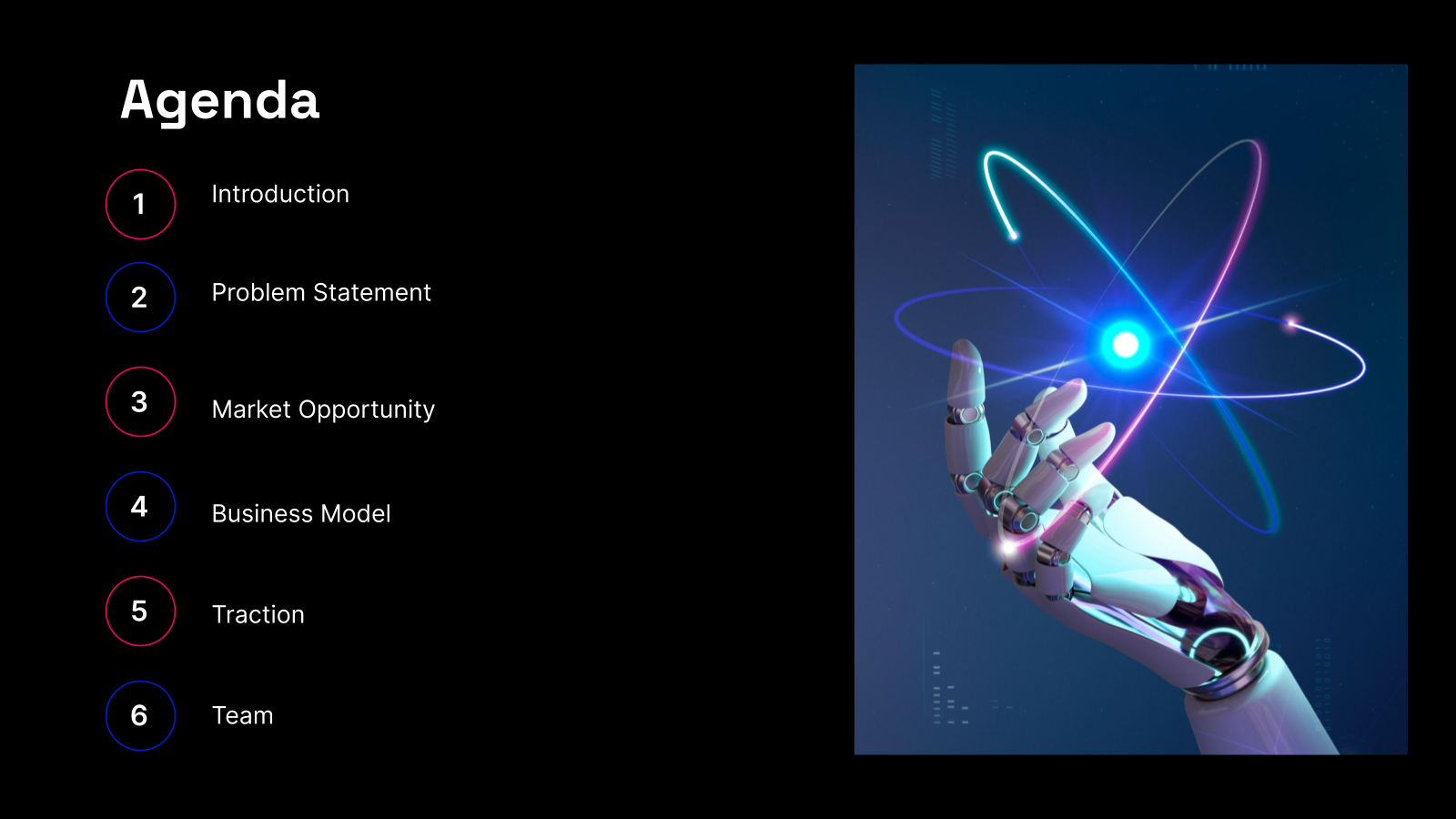
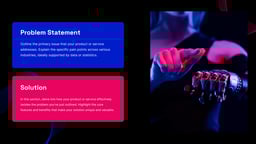
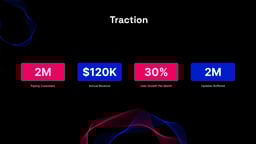
These templates don’t just follow a generic pitch format. They’re built with AI startups in mind. You’ll find slides that walk through the problem, your AI-powered solution, real-world use cases, market potential, technology, traction, business model, and your final ask. It’s all laid out to help you explain both what your app does and why it matters.

2. Total Freedom to Customise

The templates give you a strong base to start with, but you’re not stuck with it. Using Google Slides or PowerPoint, you can tweak layouts, fonts, colours, images, and text so the final pitch deck matches your brand and fits your audience. 

3. AI That Builds the Deck With You

You don’t need to start from scratch. Just give SlidesAI your idea, technical points, or a rough outline. The tool will create clean, polished slides directly in Google Slides. It adds layouts, picks visuals, and organises everything in a way that’s easy to follow and visually appealing.

4. A Consistent, Clean Design for AI and Tech

AI-focused presentations need a modern, sharp look. These templates are built with tech in mind. You’ll get pre-set themes and colour choices that make your whole deck feel unified, so each slide flows well into the next.

5. Investor-Ready, Even Without a Designer

You don’t have to be a design expert to look like one. SlidesAI helps you present complex AI ideas in a clean and simple way. The final result looks polished and professional, helping you build trust and make a strong first impression.

How to Use This AI App Pitch Deck Presentation Template?

  1. Microsoft PowerPoint: Click on Download > Click on “PowerPoint” > Click on the downloaded file to make a copy and start customising/editing the template
  2. Google Slides: Click on Download > Click on “Google Slides” > Click on “Use Template” to make a copy and start customising/editing the template 

Create presentations in seconds. Enter text and SlidesAI creates customizable slides based on that text in seconds that goes well with all our templates too

Slides AI Download CTA

Frequently Asked Questions (FAQs)

1. Who should use this pitch deck template?

This template is great for AI startup founders, tech teams, and product leads who want to pitch their AI app to investors, partners, or accelerators.

2. What slides are included in the template?

You’ll get slides like Problem, AI-Powered Solution, Technology Overview, Market Opportunity, Traction, Business Model, Competition, Go-to-Market, Team, Financials, and Ask.

3. Can I change the design and content?

Yes. You can fully edit the slides. Change the text, colours, visuals, and layout to match your brand and message.

4. Does it work with Google Slides?

Yes. The template works perfectly with Google Slides, so you can edit in real time and collaborate with your team.

5. Do I need design skills to use this?

Not at all. The template is built for non-designers. It comes with pre-made layouts and AI-friendly visuals that make your deck look polished.

6. Can I use this for grants or accelerator programs?

Yes. The structure is built to show innovation, impact, and potential, which makes it suitable for grant applications and accelerator pitches.

7. Can I link technical details or extra slides?

Yes. You can add appendix slides or use hyperlinks to point to technical documentation, model performance, or datasets.

8. Does this work with AI tools like SlidesAI?

Yes. You can use SlidesAI to input your AI app details and the tool will help generate and improve your slides.

9. Can I remove or duplicate slides?

Yes. The template is flexible. You can add, remove, or rearrange slides based on what your pitch needs.

10. Will this save me time?

Definitely. The ready-to-use layout and clear pitch structure help you build a strong deck faster than starting from scratch.

© This template can be used for both personal and commercial purposes. However, any form of reselling or redistribution of this template is strictly prohibited.

Create Presentation Slides with AI in seconds

Design stunning, unique slides with AI-generated visuals and text. Say goodbye to boring templates with our free AI presentation maker

App screenshot