Writing a research paper and presenting it are two completely different challenges. A paper gives you space to explain every detail, include references, and discuss findings at length. A presentation does not. You have limited time, limited slides, and an audience that wants the most important information quickly. The challenge is deciding what stays and what gets left out. In this blog, we will take a look at how to turn a 50-page paper into a clear 12-slide presentation and how SlidesAI can make the process much faster.
Why Should You Convert a Long Paper Into a Presentation?
A presentation helps you communicate the main ideas of your paper in a way that is easier for people to follow. Whether you are presenting at a conference, defending a thesis, sharing findings with colleagues, or speaking in a classroom, most audiences do not have time to read dozens of pages. A concise presentation highlights the most important points, keeps attention focused, and makes your research easier to understand.
How to Turn a 50-Page Paper into 12 Slides Using SlidesAI
Turning a lengthy paper into a presentation usually takes hours. You need to identify important sections, create a structure, write slide content, and design the presentation. SlidesAI helps simplify this process. Here’s how you can get started:
-
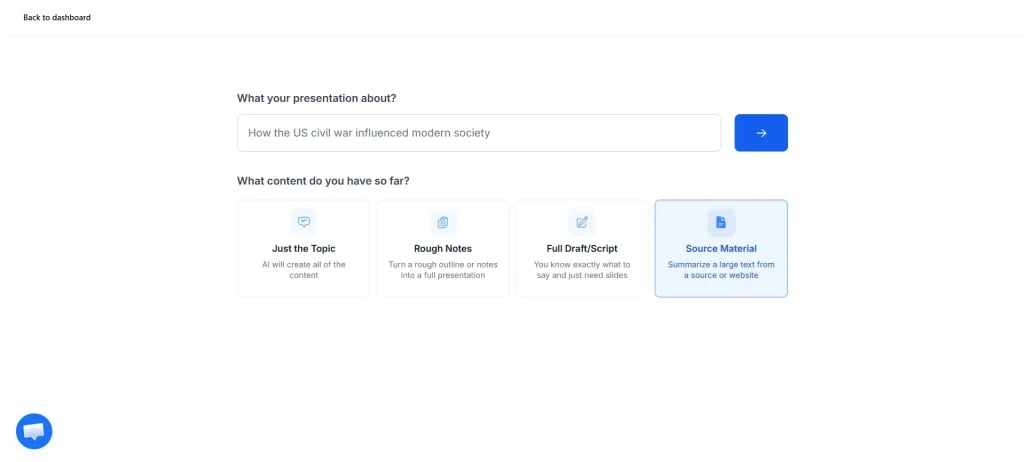
Enter Your Presentation Topic and Choose Source Material
Start by opening SlidesAI and entering your presentation topic. When selecting the content source, choose the option for source material. This allows SlidesAI to create the presentation based on an existing document rather than generating content from scratch.
-
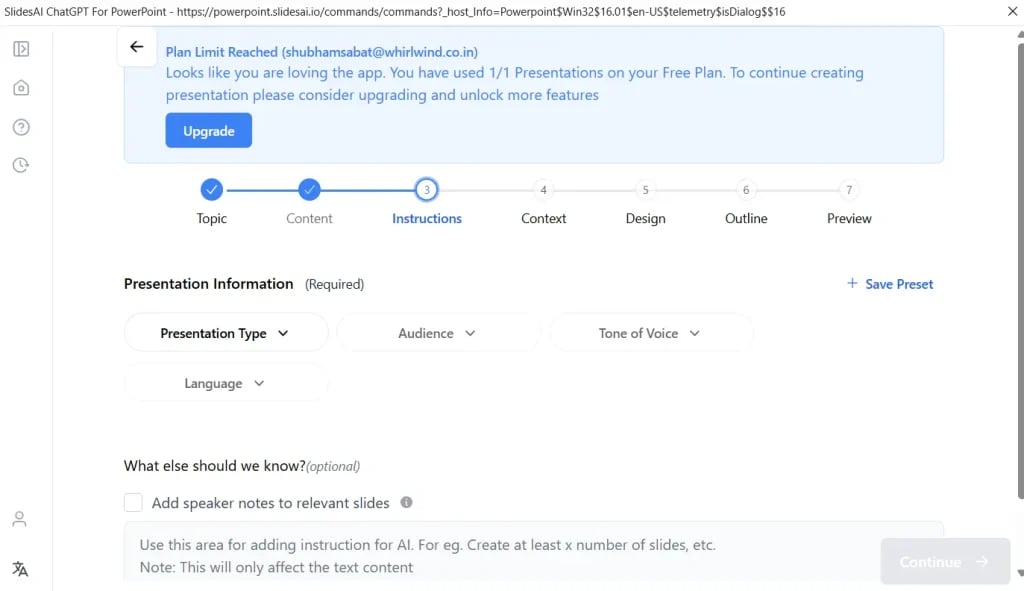
Select Presentation Type, Audience, Tone, and Language
Next, define how the presentation should be created. Choose the presentation type that best matches your needs. You can also specify your audience, whether they are students, researchers, business professionals, or a general audience.
The tone matters too. A formal conference presentation will sound different from a classroom presentation. You can also select your preferred language so the presentation matches your audience.
-
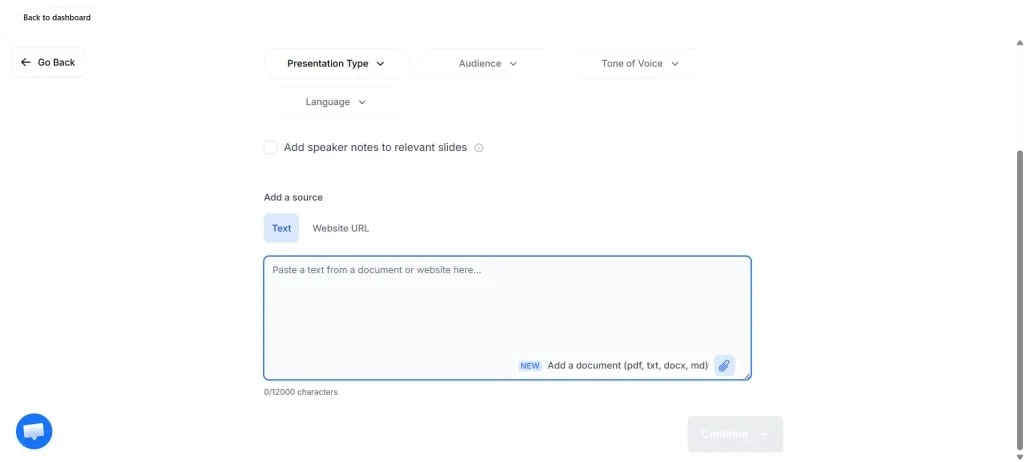
Upload Your Paper or Paste Summarized Notes
Once the settings are selected, upload your research paper directly into SlidesAI.
If you already have summarized notes, you can paste those instead. To keep the presentation concise, specify that you want the content converted into a 12-slide presentation. This helps the AI focus on the most important information rather than trying to fit every detail into the deck.
-
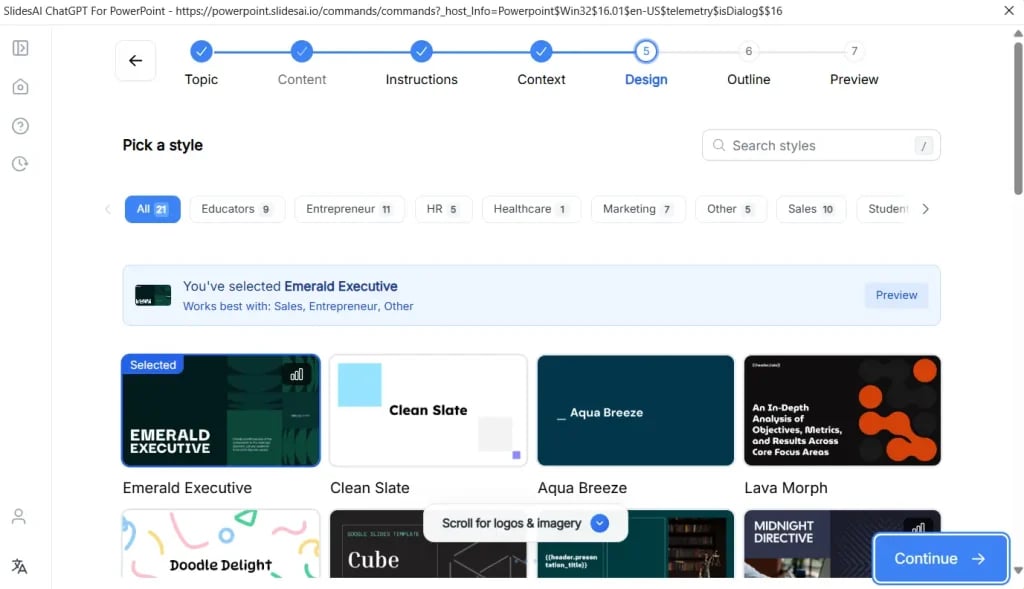
Choose a Presentation Template
After adding your content, select a template that fits your presentation style.
SlidesAI offers multiple design options, allowing you to choose a layout that matches your subject and audience. You can also upload your organization’s logo if needed.
If you want visuals generated automatically, you can enable AI image generation. This can help add supporting graphics without searching for images manually.
-
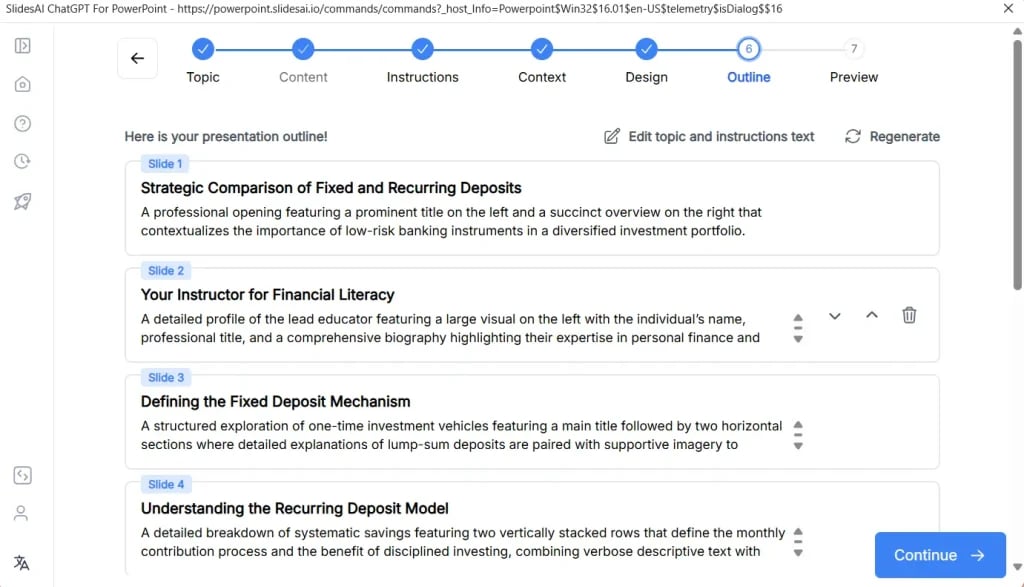
Review the Generated Outline
Before creating slides, SlidesAI generates an outline.
This step is important because the outline acts as the foundation for your presentation. Review each section carefully and make adjustments if necessary. You may want to reorder sections, rename slide titles, or remove information that feels unnecessary.
Taking a few minutes here often leads to a much stronger final presentation.
-
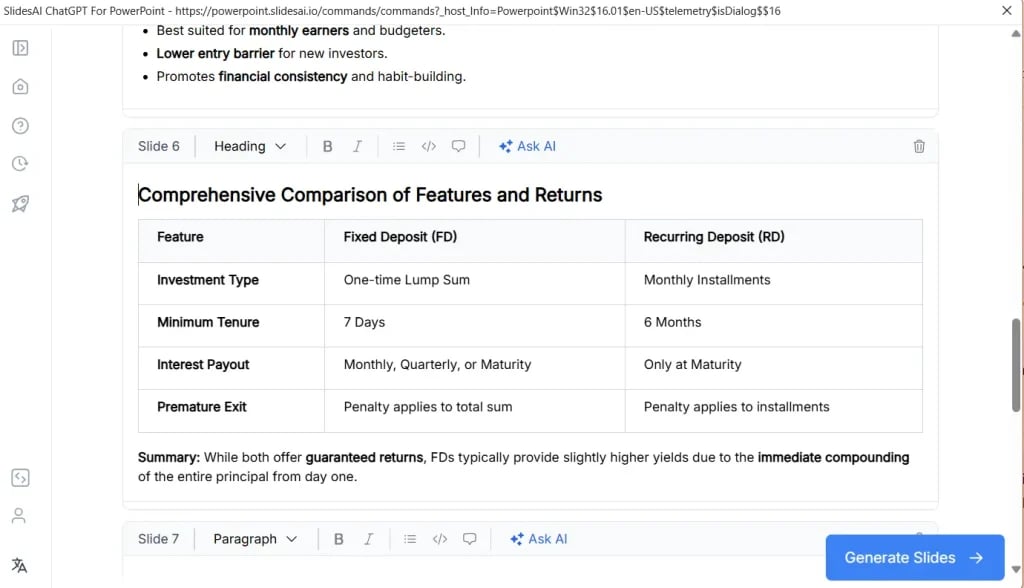
Review the Content and Generate Slides
Once the outline is finalized, SlidesAI generates content for each slide.
Read through everything before moving forward. Make sure the content accurately reflects your research and includes the points you want your audience to remember.
After reviewing the content, click “Generate Slides.”
-
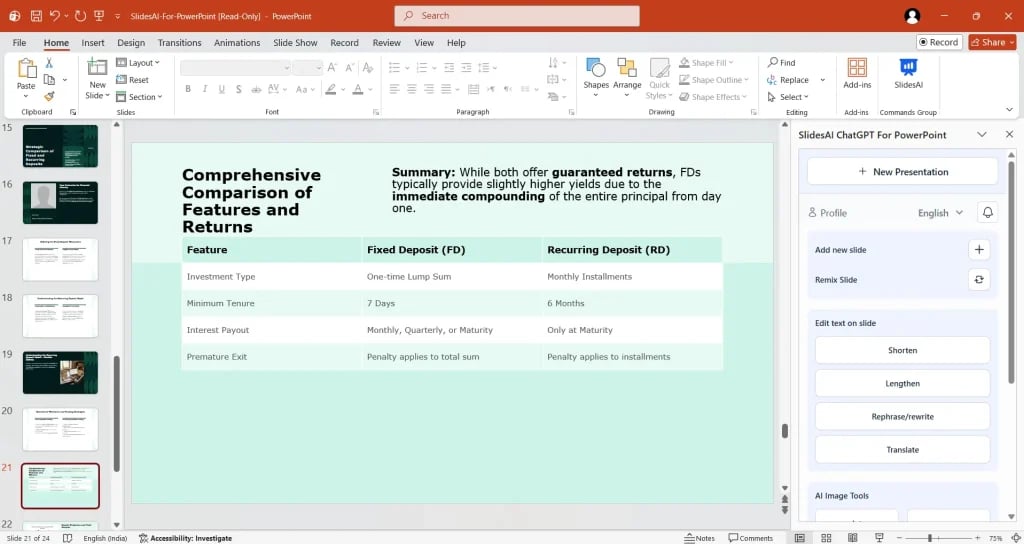
Review and Refine the Final Presentation
SlidesAI will create the complete presentation based on your paper and preferences.
Go through every slide before presenting. You may want to simplify text, add speaker notes, update visuals, or adjust formatting. While AI speeds up the process significantly, a final review ensures the presentation reflects your expertise and presentation style.
What Is the 12-Slide Structure for Turning a Paper Into a Presentation?
A good presentation is not simply a shorter version of your paper. It should tell a clear story.
The following 12-slide structure helps transform a long research paper into a presentation that is easy to follow.
-
Title Slide
Include the title of your paper, your name, affiliations, and the presentation date.
-
Background and Context
Provide enough background information to help the audience understand the topic and its importance.
-
Problem Statement and Research Gap
Explain what is missing from existing research and identify the specific problem your study addresses.
-
Objectives or Research Question
Clearly state the purpose of your study and the primary question you wanted to answer.
-
Methodology
Summarize your research design, data collection methods, sample size, tools, and analytical approach.
-
Key Results
Present your most important findings. Focus on the results that directly support your research objectives.
-
Supporting Results
Share additional findings that strengthen or provide context for the primary results.
-
Discussion and Interpretation
Explain what the results mean and how they connect to existing knowledge in the field.
-
Significance and Implications
Discuss why the findings matter and how they can be applied in real-world situations.
-
Limitations
Acknowledge any limitations or constraints within your study. This demonstrates transparency and credibility.
-
Conclusion and Key Takeaways
Summarize the main message of your research and highlight the most important takeaway for the audience.
-
Future Work and Q&A
Share possible directions for future research and invite questions from the audience.
Tips for Turning Your Paper Into a Presentation
Here’s a closer look at some tips for turning your paper into a presentation:
-
Understand Your Audience
Before creating slides, think about who will be listening.
A group of researchers may expect technical details, while students or general audiences may need more context and simpler explanations. Understanding your audience helps you decide what information deserves the most attention.
-
Summarize Key Points
One of the biggest mistakes presenters make is trying to include too much information.
Your audience does not need every paragraph from your paper. Focus on the central message, major findings, and conclusions. If a detail does not support those points, it may not belong on a slide.
-
Develop a Clear Structure
A presentation should flow naturally from one idea to the next.
When people can easily follow the progression from background to findings and conclusions, they stay engaged and retain more information.
-
Use Speaker Notes
Not everything needs to appear on the slide itself.
Speaker notes allow you to include supporting information without overwhelming the audience with text. This helps keep slides clean while still giving you enough material to speak confidently.
-
Add Visuals and Interactive Elements
Visuals often communicate information faster than text.
Charts, graphs, diagrams, timelines, and images can help explain complex concepts. Interactive elements such as polls or audience questions can also make presentations more engaging.
-
Seek Feedback
Before presenting, ask someone else to review your slides.
A fresh perspective can help identify confusing sections, unnecessary content, or opportunities to improve clarity. Small changes based on feedback often make a noticeable difference.
Closing Thoughts
A 50-page paper contains valuable information, but that does not mean every detail belongs in a presentation. The goal is to communicate the most important ideas in a way that is clear, engaging, and easy for an audience to understand.
By focusing on the main findings, following a structured slide format, and using tools like SlidesAI to streamline the process, you can transform a lengthy paper into a concise 12-slide presentation without spending days editing content manually.
FAQs
How many slides should a 50-page paper presentation have?
In most cases, 10 to 15 slides work well. A 12-slide structure is often enough to cover the background, methodology, findings, conclusions, and future directions without overwhelming the audience.
How do you turn a research paper into a presentation?
Start by identifying the paper’s main message, research question, methodology, and findings. Organize these elements into a logical structure, reduce detailed text, add visuals where possible, and focus on the points your audience needs to understand.
How can visuals improve paper presentations?
Visuals help simplify complex information and make presentations easier to follow. Graphs, charts, diagrams, and images can communicate findings more quickly than large blocks of text while also keeping the audience engaged.